Turn a document into a form or a quiz

Start from a document, a spreadsheet, a photo or an old form, and get its questions in Google Forms without typing them again.

Start from what you already have

Form Builder and Form Quiz open on the same screen, with seven places your questions can come from.

Google Docs™, Sheets™ or Slides™
Pick the lesson, the agenda or the checklist you already wrote, straight from Google Drive.
Google Forms™
Bring the questions of an older form forward. Copying a form never uses one of your free builds or quizzes.
Google Drive™
A PDF, Word, PowerPoint or Excel file you keep in Drive. Only the file you pick is opened.
Upload
A file from your computer, up to 3 MB, or a photo of a printed worksheet or paper form.
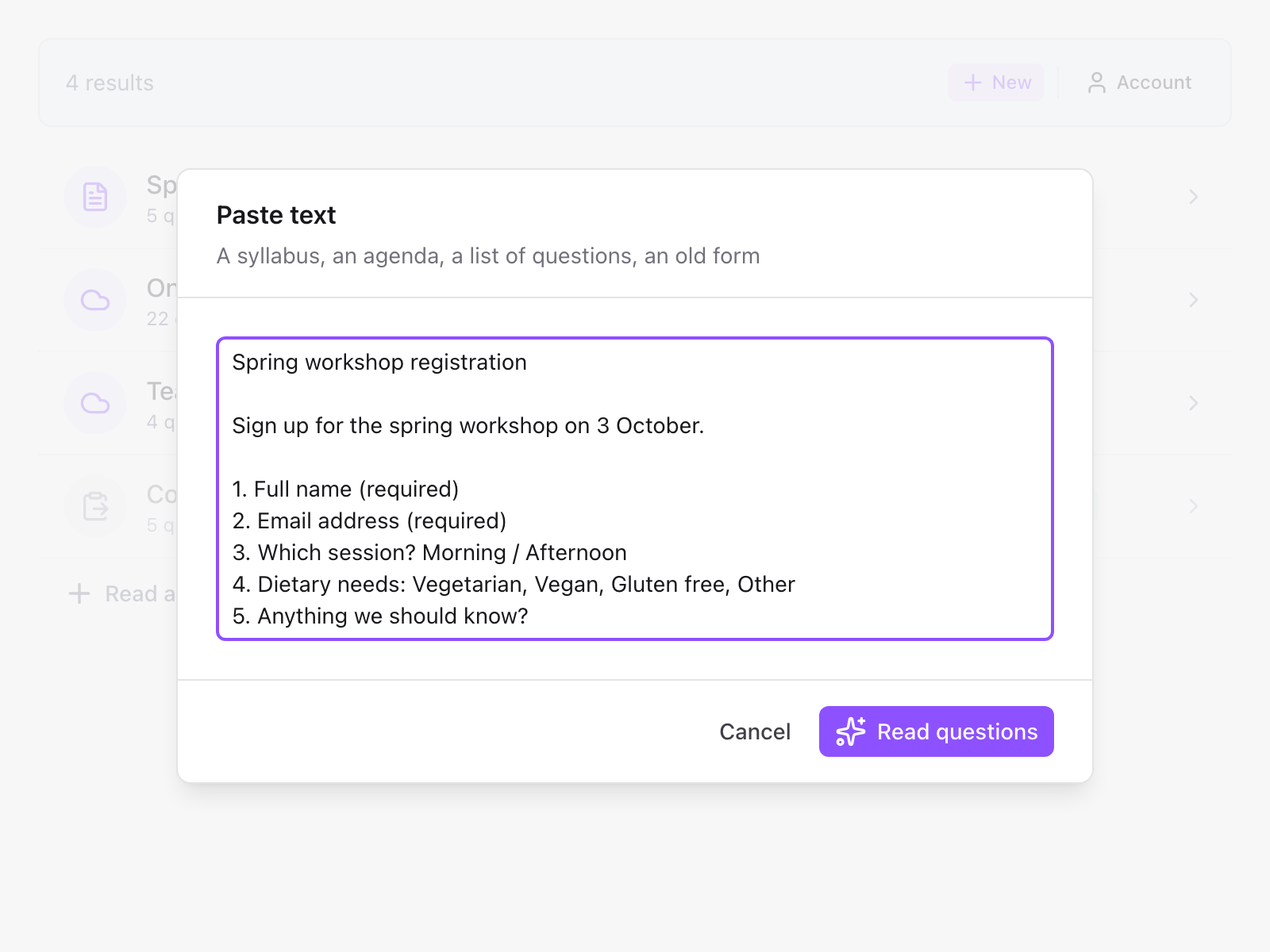
Paste text
Lesson notes, an event brief or a list of questions from an email.
Start from what you already have

What happens next

  1. Pick a starting point

    Open the add-on in your Google Form and choose a tile.

  2. The questions are found

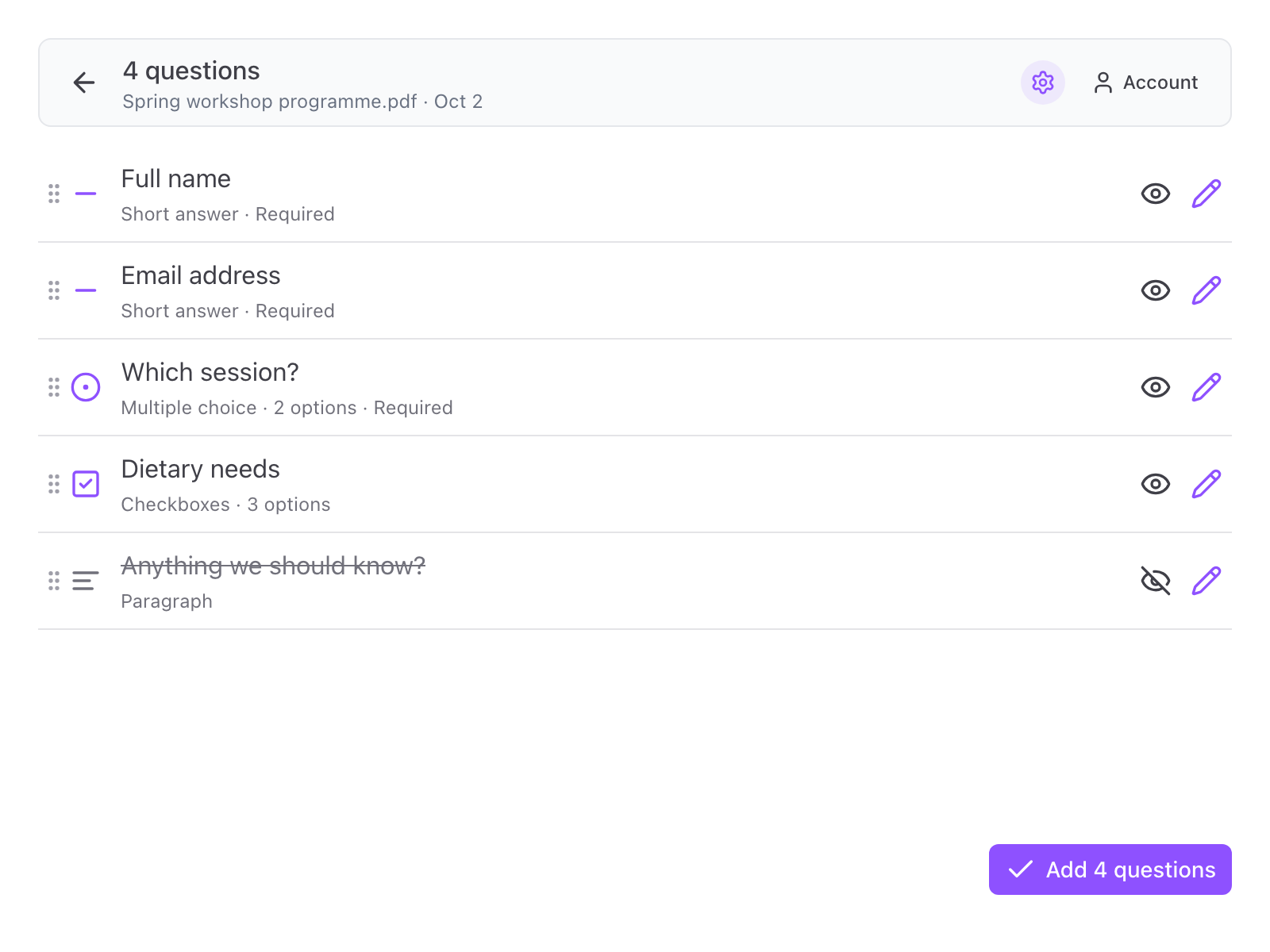
    Questions, answer choices and sections are picked out for you. Anything it had to guess is listed.

  3. Quizzes come with a key

    In Form Quiz the correct answers and points are set too. An answer sheet you already have becomes the key.

  4. You check every question

    Change the wording, the type or the answer, reorder or skip a question. Nothing is added to your form until you click Add.

Form Builder: a form people fill in

Use it for a sign-up sheet, a survey, a feedback or an intake form, where there is no right answer.
Form Builder: a form people fill in
Eight question types and sections
Short answer, paragraph, multiple choice, checkboxes, dropdown, scale, date and time, split into sections for a long form.
An ordinary Google Form
Edit and share the questions the way you always do, with or without the add-on.
Add to a form you have
Put the new questions before or after the ones already there.
Form Quiz: a quiz you grade

Use it for a test, a practice quiz or a check after a lesson, where every question has an answer.

Form Quiz: a quiz you grade
The answer key comes with it
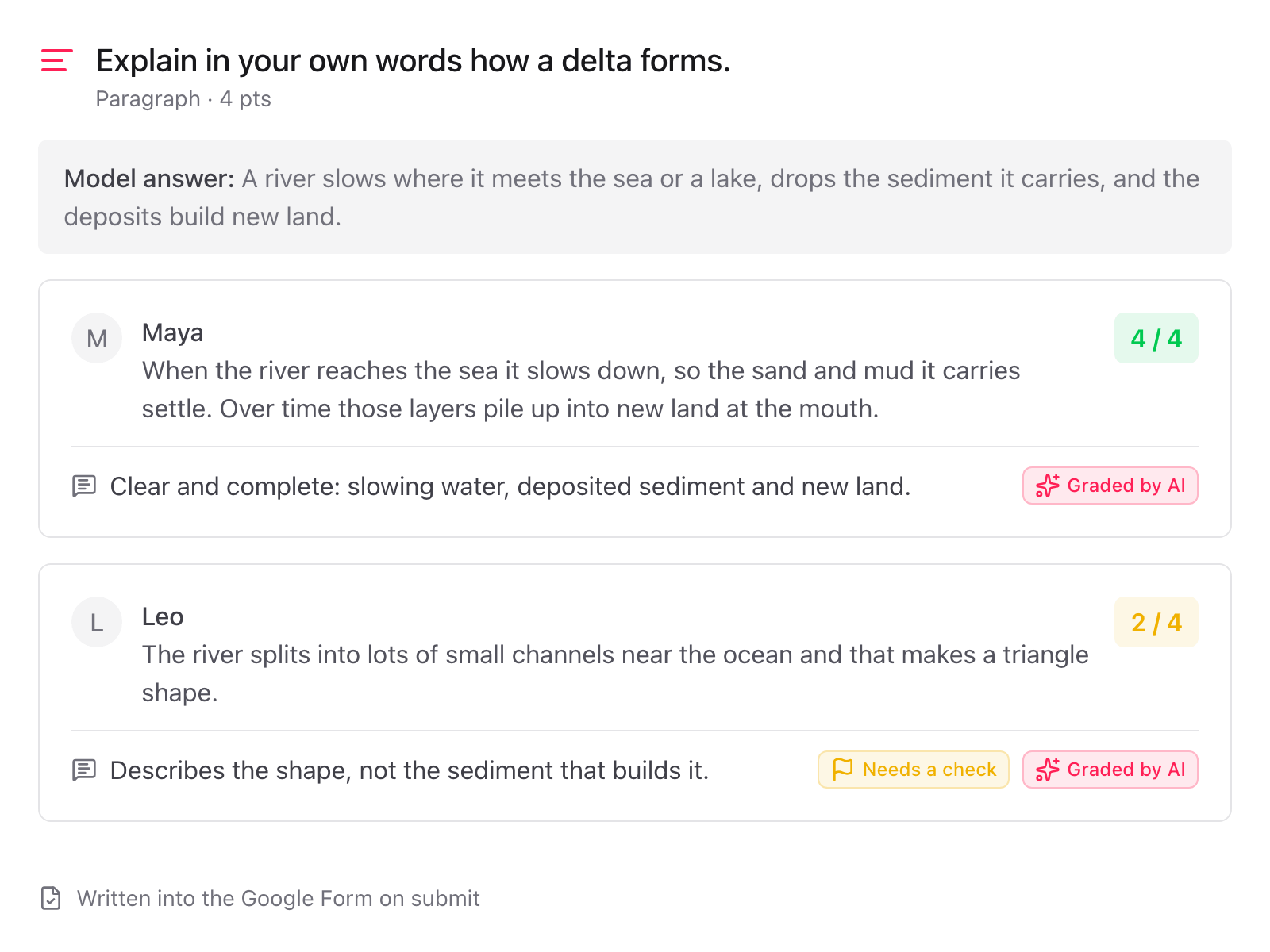
Correct answers, points and a model answer for written questions, all checked by you before the quiz is added.
Typed answers graded with AI
Short answers and paragraphs are scored against your model answer as they come in, with a line of feedback, when grading is on.
You keep the final say
Scores it is unsure of are listed for you to check. You change any score and decide when students see results.

Free to start

  • Form Builder

    5 builds a month, no card. A read that fails does not count.

  • Form Quiz

    3 quizzes and 50 graded answers a month, no card.

Good to know

  • Eight question types

    Grids, file upload and rating questions are not made. Add those yourself in Google Forms.

  • Copying a form keeps its questions

    Grids, file uploads, images, videos, answer keys and section jumps stay behind, and each skipped question is named.

  • AI grades typed answers

    It grades answers that have a model answer, with grading switched on. Google Forms scores choice questions from the key.

  • You release the scores

    When students see their scores stays a Google Forms setting. The add-on links you to it.

  • Limits and timers are separate add-ons

    Form Limiter, Form Scheduler and Form Timer take over once your questions are in.

Pick the one for your form

See what each add-on does, or compare them side by side.

Compare Form Builder and Form Quiz