 Form Quiz
AI Grading for Written Answers in Google Forms
Make the quiz from a lesson, a PDF or a photo. Form Quiz grades every typed answer the moment it is submitted.
Make a quiz from your own material
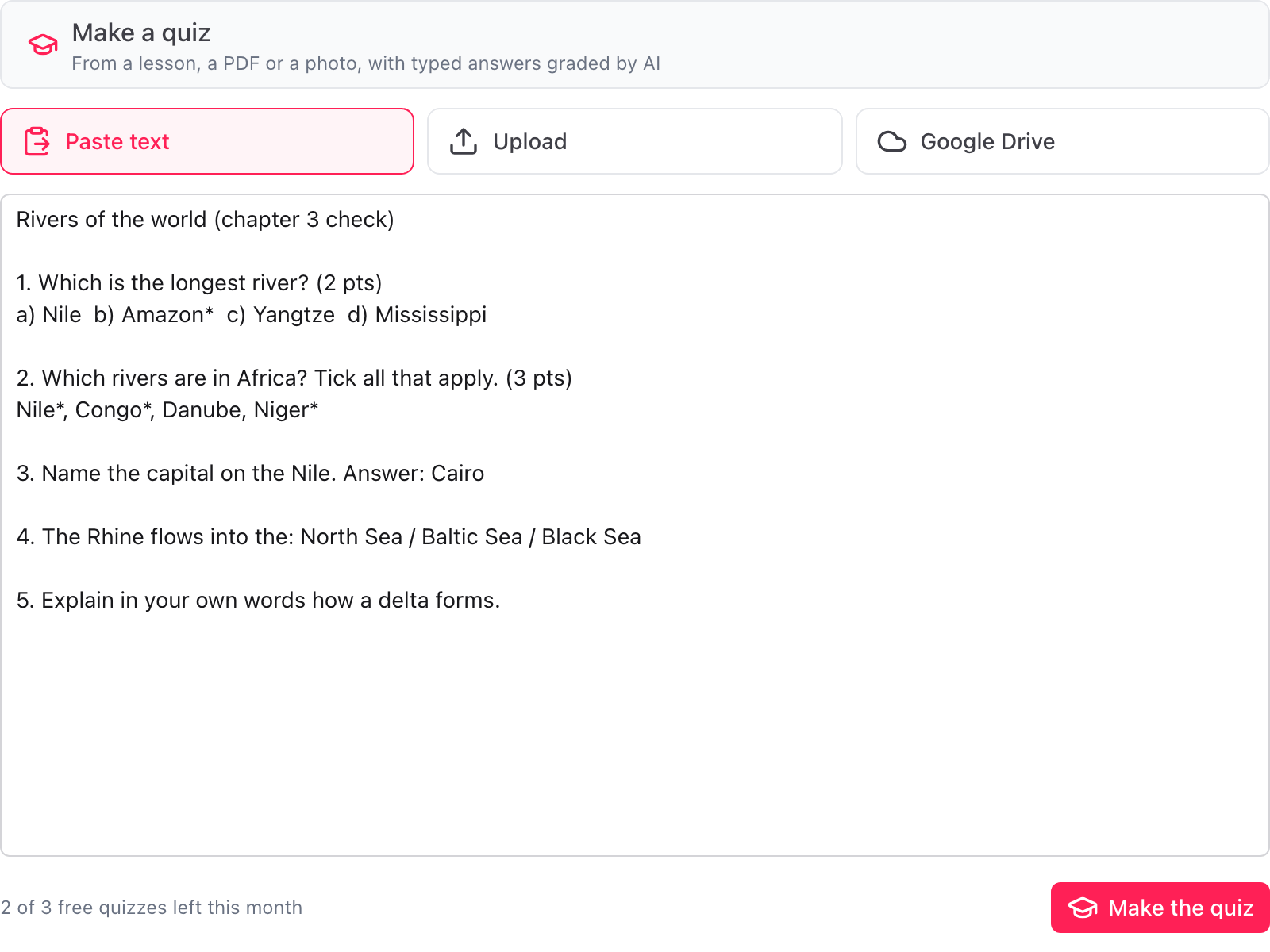
Paste a lesson, upload a PDF or a photo, or pick a file from Google Drive
Check every question and answer first
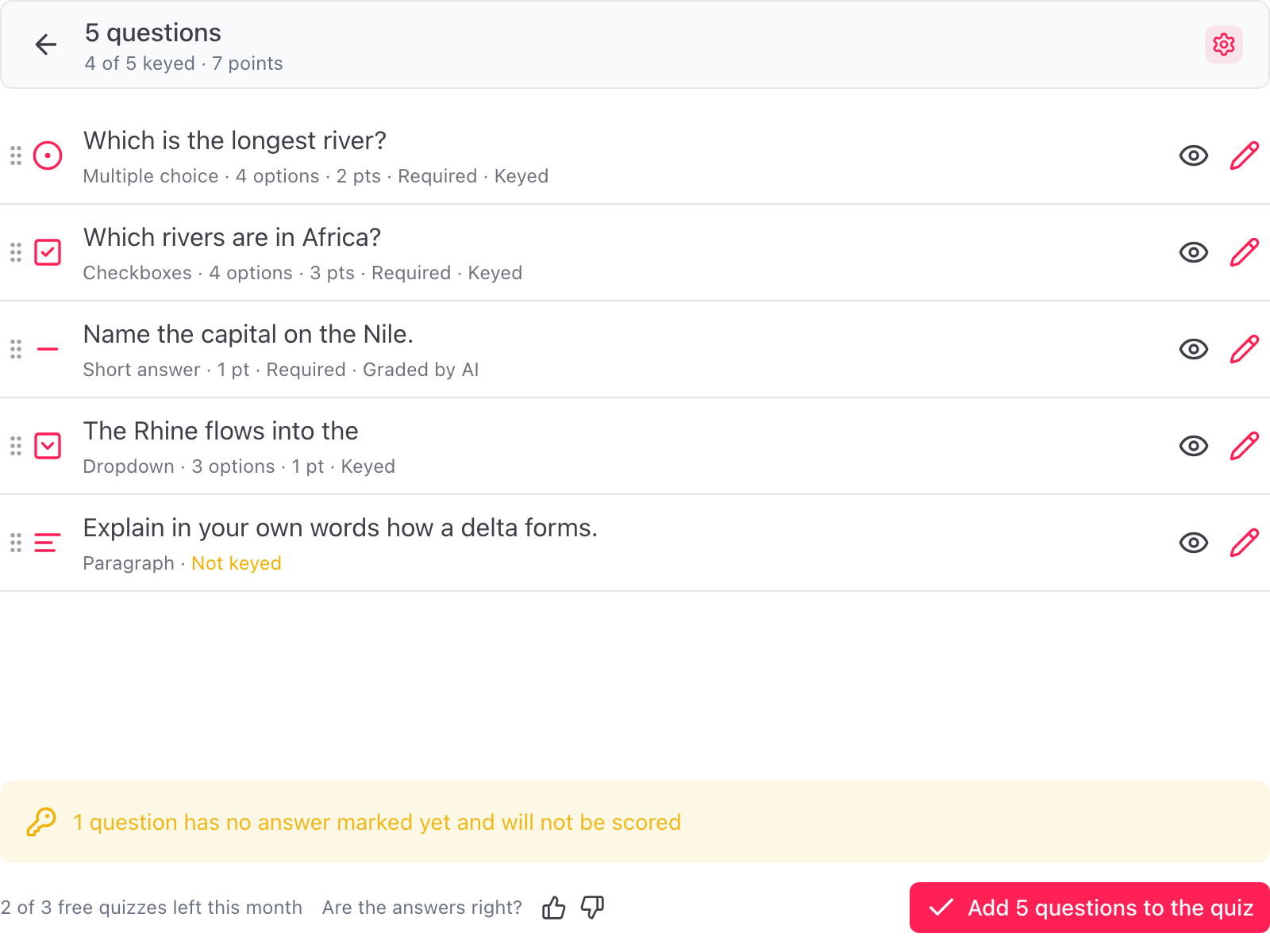
Change the key, the points and the wording before anything is added to the form
Unsure scores listed for you
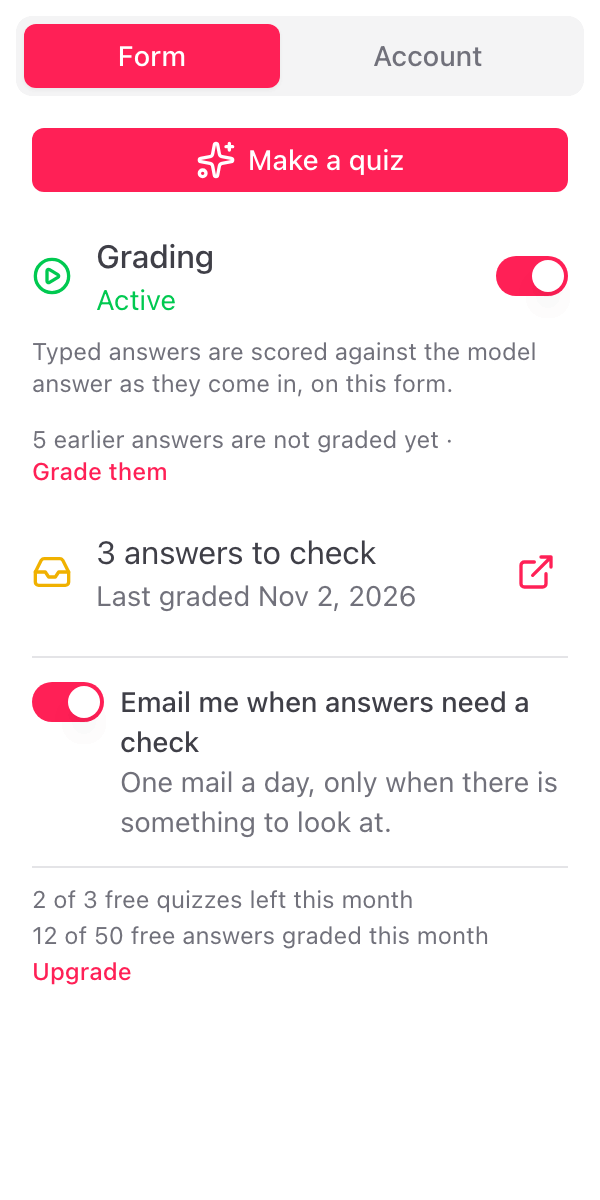
See how many answers need a check and get one mail a day when there are any
Graded on submit, checked by you
The AI does the first pass on every typed answer. You keep the final say.
Typed Answers Graded on Submit
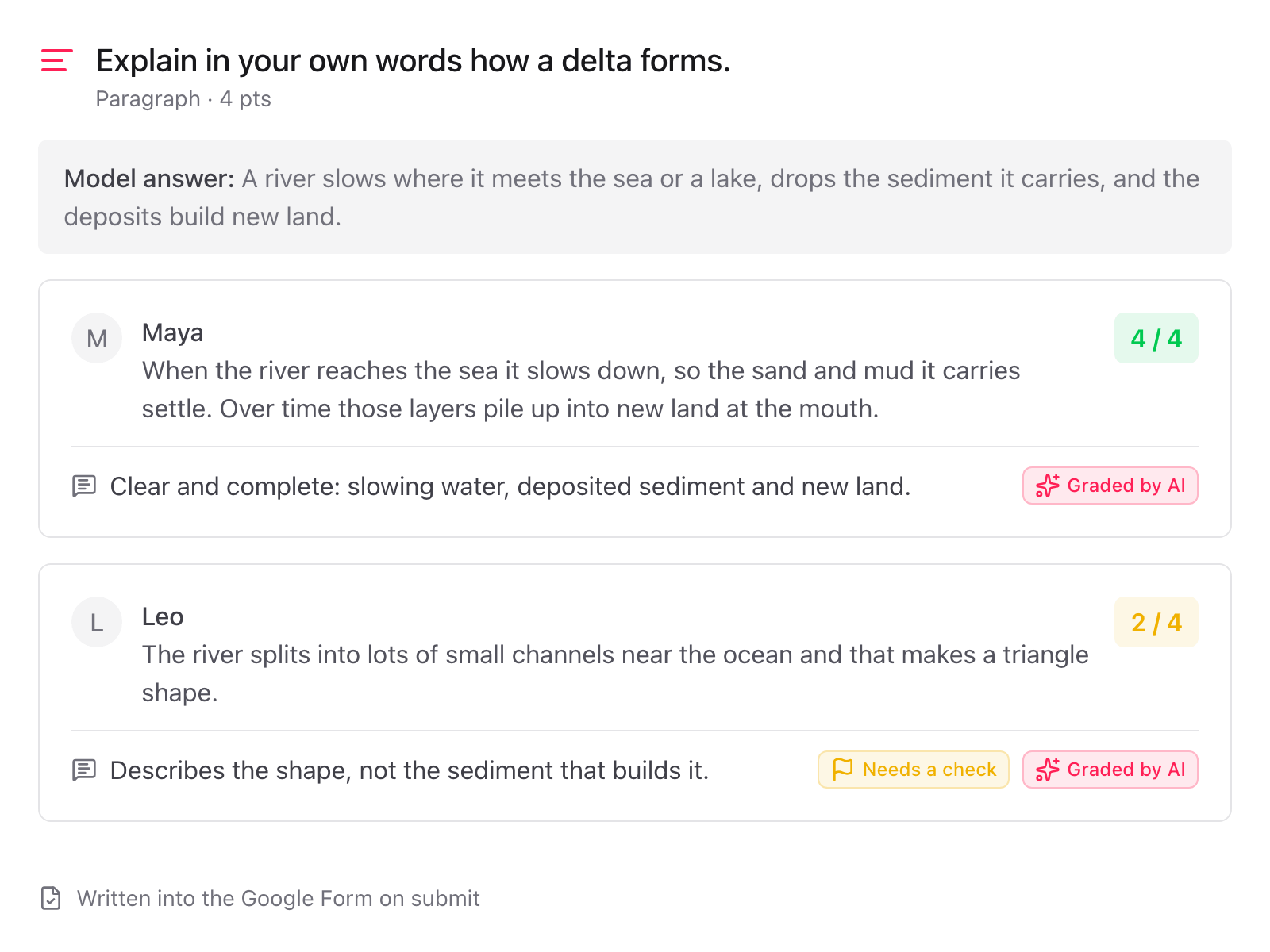
Each short answer and paragraph is scored against your model answer as soon as the response comes in, within that question's points. Google Forms keeps whole points, so a question worth 4 points leaves room for partial credit.
A Line of Feedback per Answer
Every graded answer gets one sentence of feedback in the student's language, written into the Google Form next to the score.
Unsure Scores Listed for You
When the AI is not sure, the sidebar counts the answer and at most one email a day lists the answers to check, each with a link to its response. The feedback itself carries no flag.
You Keep the Final Say
Change any score in Google Forms, as you always could. Release scores the Google Forms way, right after submission or later once you have looked. Grading is switched on or off per form in the sidebar.
Earlier Answers Too
Switched grading on after the first responses came in? Grade them from the sidebar in one click. No answer is ever graded twice.
A Quiz from Your Own Material
Paste a lesson, upload a PDF, a Word file or a photo of a printed test, or pick a Google Doc, Sheet or Slides deck from Drive. The questions arrive with correct answers, points and model answers. Only that one item is read.
Your Answer Sheet Wins
When the material already carries the answers, in an answer block at the end, an "Answer: B" line, a starred or ticked option, those are the ones used. Nothing is second-guessed, and the mark is stripped out of the option text.
Approve Every Answer First
The key, the points, the model answers and the wording of each question sit in a list you can change. Switch the correct option, raise the points on the hard ones, drop a question, then write the lot to the form at once.
Good to know
What Form Quiz grades, what you decide, and what it leaves to Google Forms.
Yes. Short answer and paragraph questions carry a model answer, what a full-marks answer contains, and a point value. As each response comes in, the typed answer is scored against the model answer by AI, within that question's points, and a line of feedback is written into the Google Form. Google Forms stores whole points only, so a question worth 4 points leaves room for partial credit where a 1-point question scores 0 or 1. Switch AI grading off on a question and the model answer is written as its feedback instead, for you to mark by hand.
Google Forms scores multiple choice, checkboxes and dropdowns against an answer key, but it cannot score a typed answer, and neither can Gemini in Google Forms. Short answers and paragraphs stay at zero until someone marks them. Form Quiz does that first pass on submit.
Yes, once their score is released, in the same place Google Forms shows any feedback. The model answer itself is never shown. An unsure score is listed for you to check, which is why releasing scores later, after you have looked, is the safer setting.
Yes. Scores and feedback are written into Google Forms, so you change them under Responses exactly as you would a score you gave by hand. Your change is not overwritten, because an answer is never graded twice.
When you release it. Releasing scores stays a Google Forms setting. Release right after submission and students may see their score before the AI has graded the typed answers, so for a quiz with written questions choose Later, after manual review, check the answers listed for you, then release. The add-on links you to that setting.
Form Quiz is free for 3 quizzes and 50 graded answers a month, with no credit card. A graded answer is one typed answer scored by AI. Both counts reset on the 1st of every month. A paid plan gives unlimited quizzes and unlimited graded answers at one flat price, with no credits.
The correct answer is proposed from the material itself, or from general knowledge when the text does not settle it, and each such question is named under Assumptions. Check those before you add the quiz.
Yes. New questions are added after or before the existing ones, and a form that is already a quiz keeps its mode and its existing points. A form that is not a quiz yet is switched to quiz mode when you confirm.
The text or file you choose, and each typed answer that is graded, are sent to Skyfield's server and on to an AI model run by a third-party provider. The answer text and its feedback are not stored on our side, only which answer was graded and its score. For quality checks the material and the questions it returned are kept for a limited time and then deleted. Nothing is used to train AI models. The details are in our privacy policy.
What people are saying about our add-ons
“The app is simple and does exactly what you think it should do. No frills and no errors. It just works perfect. Thank you.”
Gary Brown
Form Limiter · Marketplace review
“Intuitive, useful and functional. It's been a great option for an interactive form.”
Allan Ignacio Chacon Cabrera
Choice Eliminator · Marketplace review · translated from Spanish
“Really convenient to use, I love it!”
Sohyun
Choice Eliminator · Marketplace review · translated from Korean
Let the first pass of grading happen on submit
3 free quizzes and 50 graded answers every month. No credit card, nothing to set up.