 Form Builder
Create a Google Form from Anything
A syllabus, a PDF, a Word file, a photo of a paper form, a Google Doc or last year's form. AI reads the questions out of it in seconds, you check and edit them, then add them to your form. 5 free builds a month.
See it in action
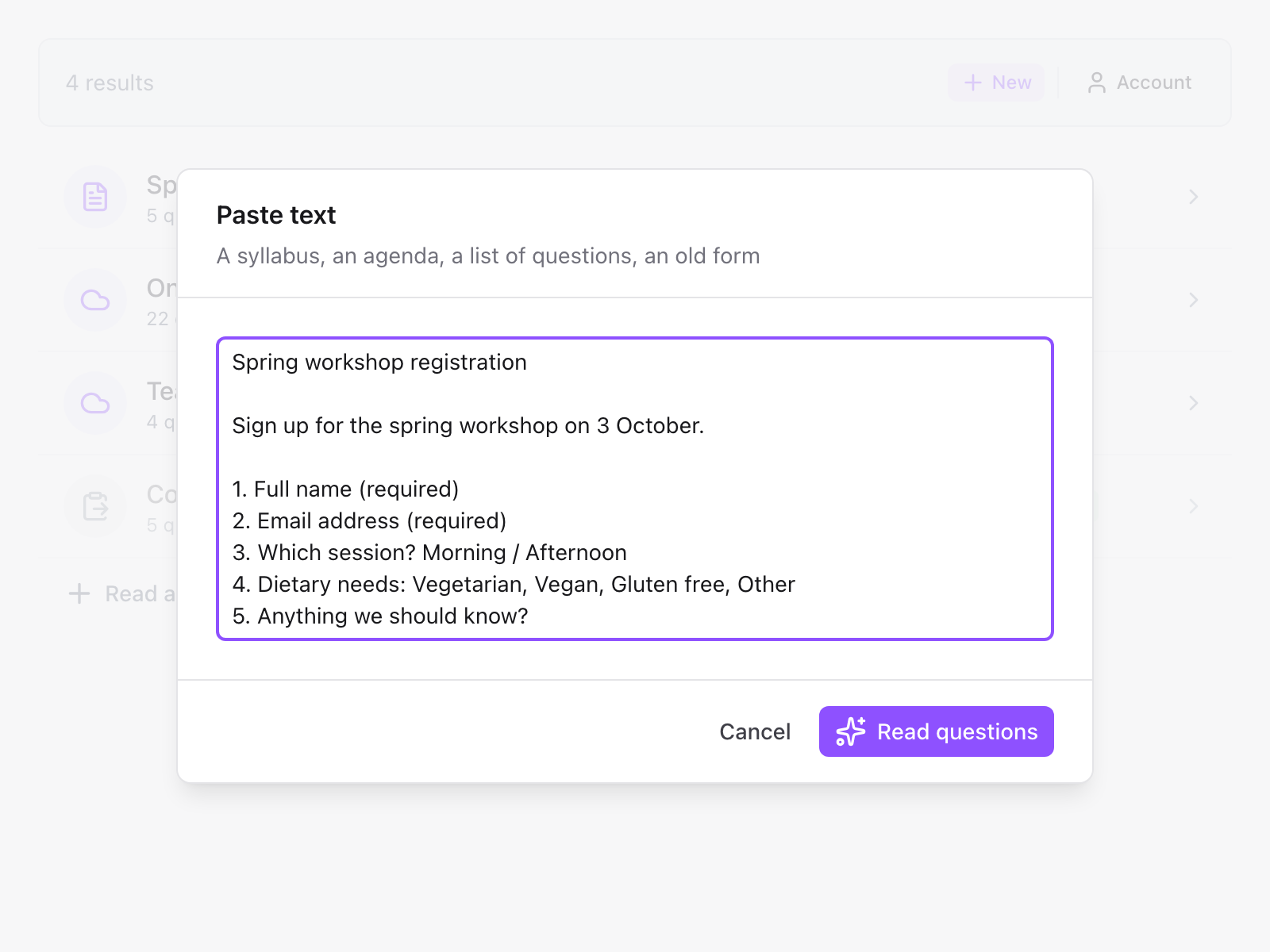
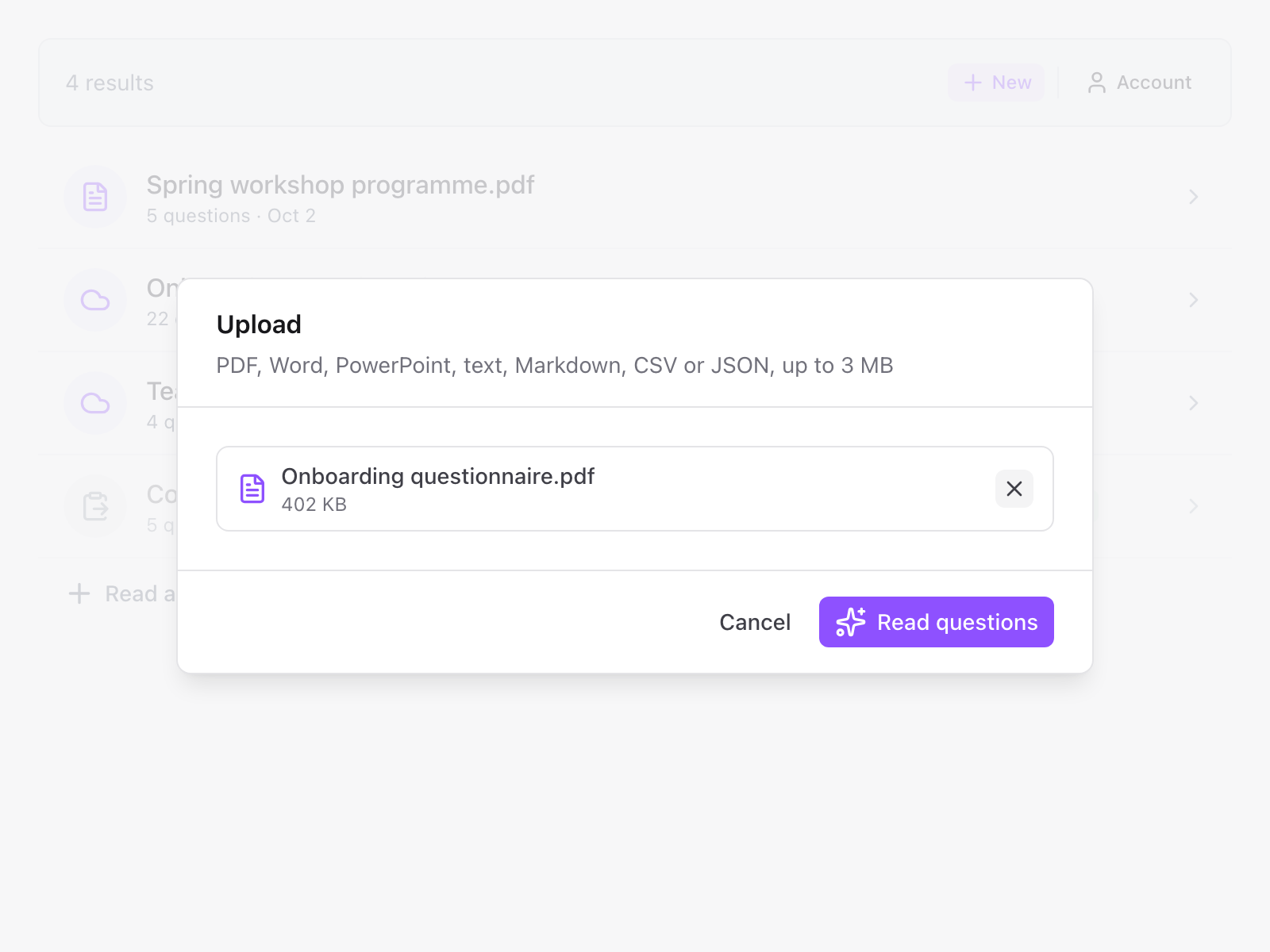
PDF, Word, Docs, Slides or a photo
Upload a file or a photo, or pick a Doc, Sheet or Slides deck from Google Drive
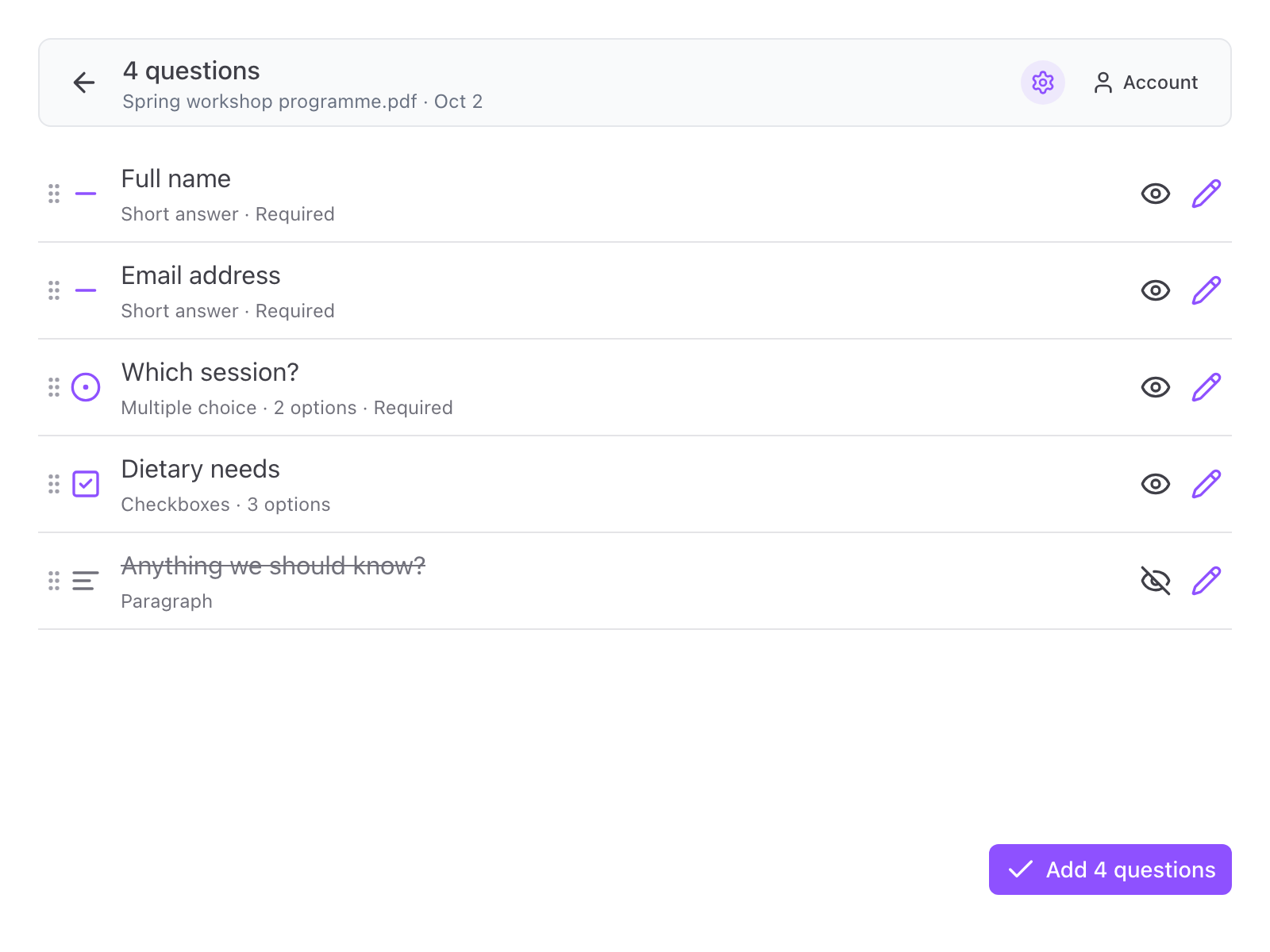
Check every question first
Drag to reorder, hide what you do not need, edit the wording, type and options
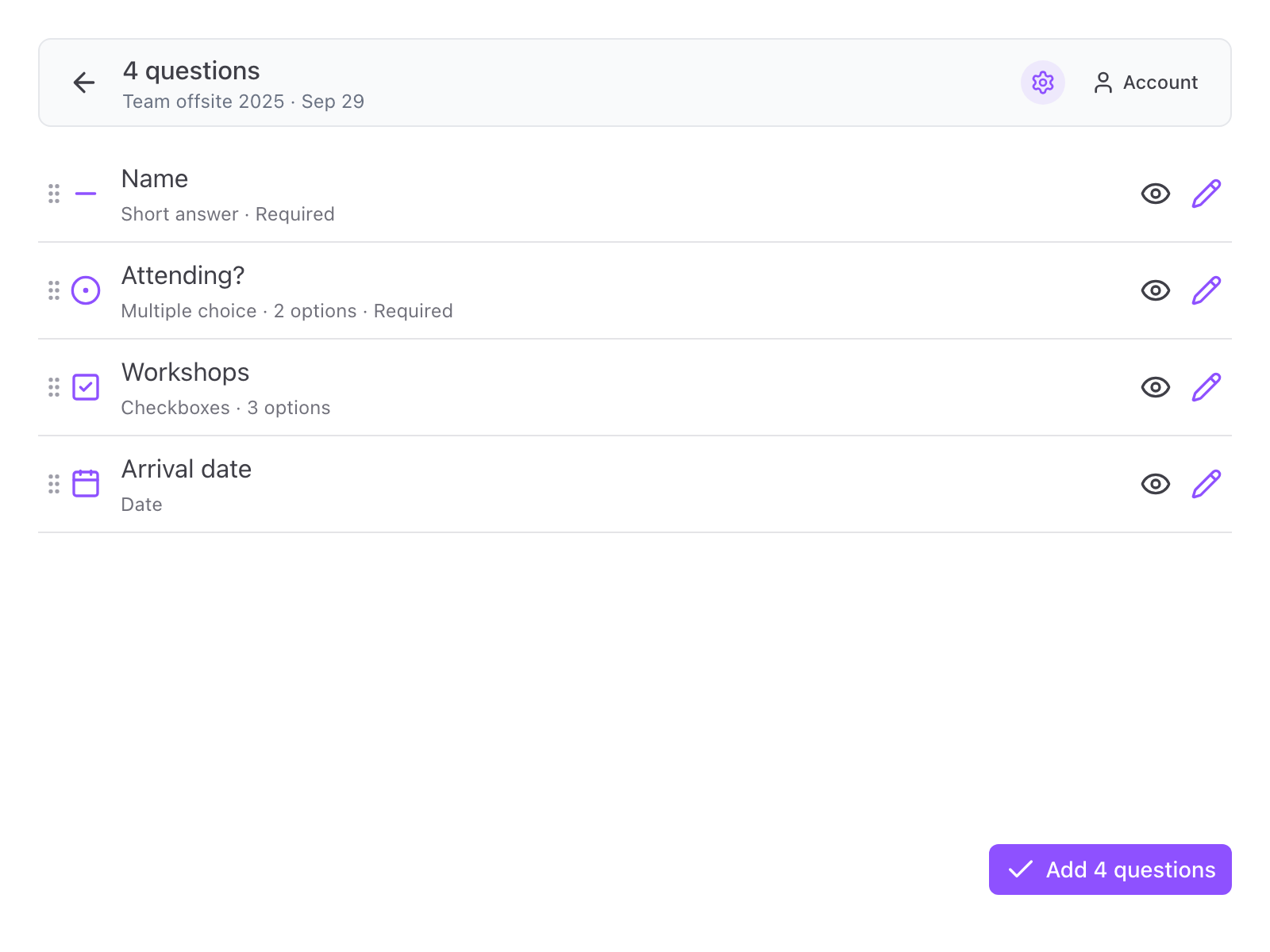
Reuse questions from an old form
Pick a Google Form in Drive and its questions are copied as they are
From what you have to a Google Form
Paste it, upload it or pick it from Drive, check the questions, add them.
Paste Any Text
A syllabus, an event brief, a worksheet or a list of questions from an email. The questions, their answer options and the sections are read out of it. No retyping, no copying question by question.
A Photo of a Paper Form
Take a photo or a screenshot of a paper form, worksheet or quiz. Printed and handwritten questions are read from the picture.
Upload a File or Pick One from Drive
Drop in a PDF, Word, PowerPoint, text, Markdown, CSV or JSON file up to 3 MB, or choose a Google Doc, Sheet, Slides deck or PDF from Drive. Only the file you pick is read, the rest of your Drive stays out of sight.
Import Questions from Another Form
Pick an existing Google Form in Drive and its questions come across as they are, types, options and required settings included. Reuse last year's form without rebuilding it. Copying a form never uses a build.
AI Reads the Questions for You
It works out which lines are questions, which are answer options and where a new section starts, and picks the matching type. It usually takes 10 to 30 seconds. Any assumptions it made are listed for you to check.
Check Before Anything Is Added
Every question found is listed with its type and options. Drag to reorder, skip the ones you do not want, or open one to change its wording, type, options, description or whether it is required. Then add them all with one button.
Every Question Type Google Forms Has
Short answer, paragraph, multiple choice, checkboxes, dropdown, linear scale, date, time, and sections to split a long form into pages.
Add at the End or the Start
Works on an empty form or one that already has questions. Put the new ones after the existing questions or before them, and choose whether the form takes the title and description found in your source.
Every Result Is Kept
Each text or file you read stays with the form as a result. Close the dialog, come back next week and carry on where you stopped. Read the same source again and it tells you, and offers the questions you already have.
What People Build with It
A course survey from a syllabus. A registration form from an event brief. Test questions from a worksheet or a question bank. A feedback form from meeting notes. A new intake form from an old one.
A Native Google Form
The questions are written straight into your Google Form as ordinary questions. Edit them in Google's own editor, share the form the way you always do. Nothing to keep running.
Then Set How It Runs
Once the questions are in, Form Limiter caps responses, Form Scheduler opens and closes the form on time, and Form Timer gives each respondent a time limit.
Good to know
What Form Builder does, and what it leaves to you.
Yes, for 5 builds a month, with no credit card and no trial that runs out. A build is one text, file, photo or Drive file read into questions. A read that fails or finds no questions does not count, and copying another Google Form is always free. The count resets on the 1st of every month. A paid plan gives unlimited builds.
No. It adds the questions to your form, but it does not set answer keys or point values. Turn the form into a quiz in Google Forms and mark the answers there.
No. Form Builder works from a source you already have, such as text, a file, a photo or another form. It reads the questions that are in it rather than making new ones up.
Grids, file upload questions, images and videos. Everything else comes across as one of the question types listed above, and you can add the rest in Google Forms afterwards.
It is sent to Skyfield's server and on to an AI model run by a third-party provider, which reads the questions out of it. To check quality, the text and the questions it returned are kept for a limited time and then deleted. They are not used to train AI models. A Google Form you copy is read through Google's Forms API and is never sent to us. The details are in our privacy policy.
What people are saying about our add-ons
“The app is simple and does exactly what you think it should do. No frills and no errors. It just works perfect. Thank you.”
Gary Brown
Form Limiter · Marketplace review
“Intuitive, useful and functional. It's been a great option for an interactive form.”
Allan Ignacio Chacon Cabrera
Choice Eliminator · Marketplace review · translated from Spanish
“Really convenient to use, I love it!”
Sohyun
Choice Eliminator · Marketplace review · translated from Korean
Turn your next document into a form
5 free builds every month. No credit card, no trial that runs out.