 Form Timer
A Timer for Google Forms
Set a time limit. Respondents get a countdown, and at zero the form submits or locks.
See it in action
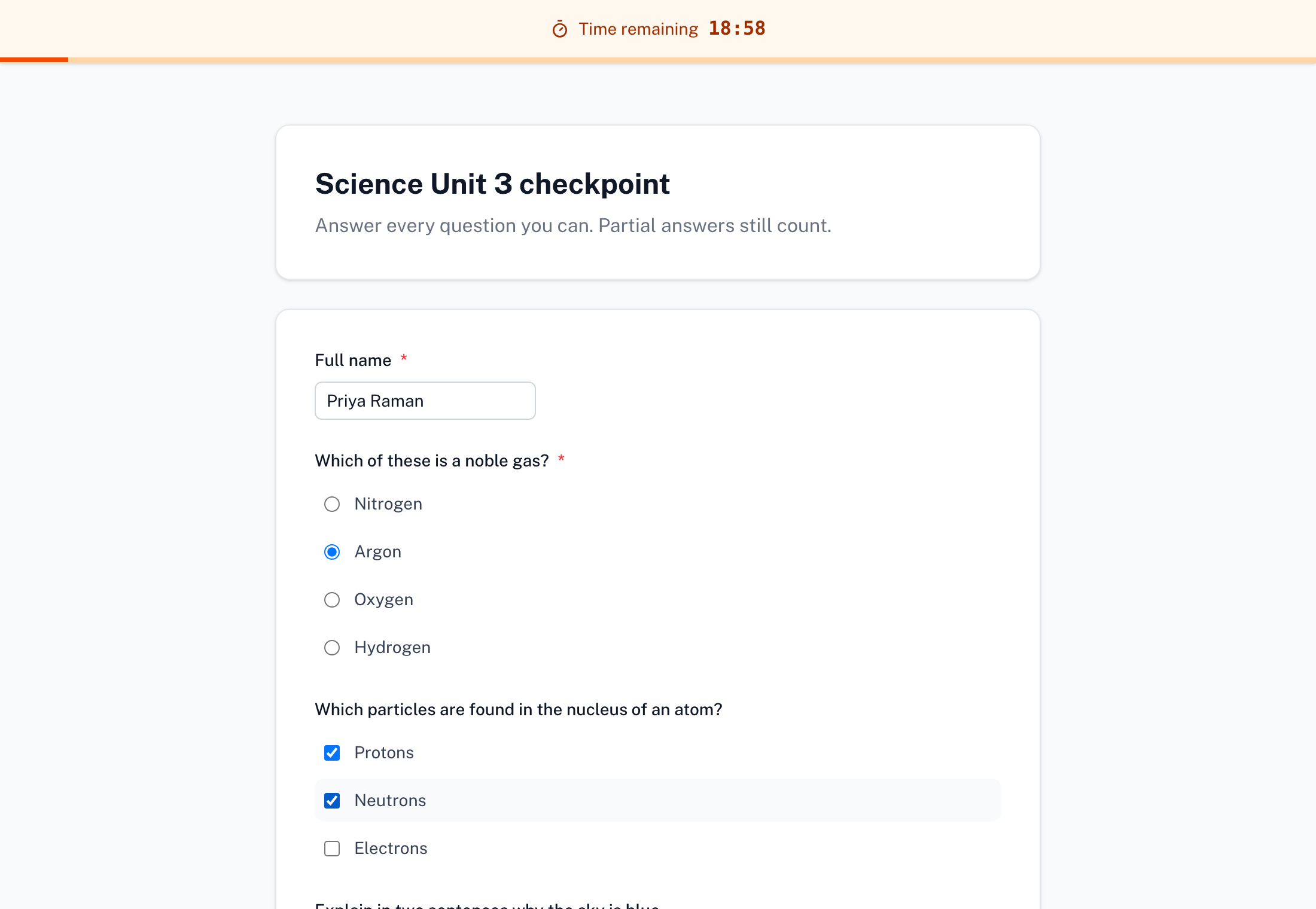
A timer for Google Forms
A countdown across the top of the page, kept on our server so it cannot be reset
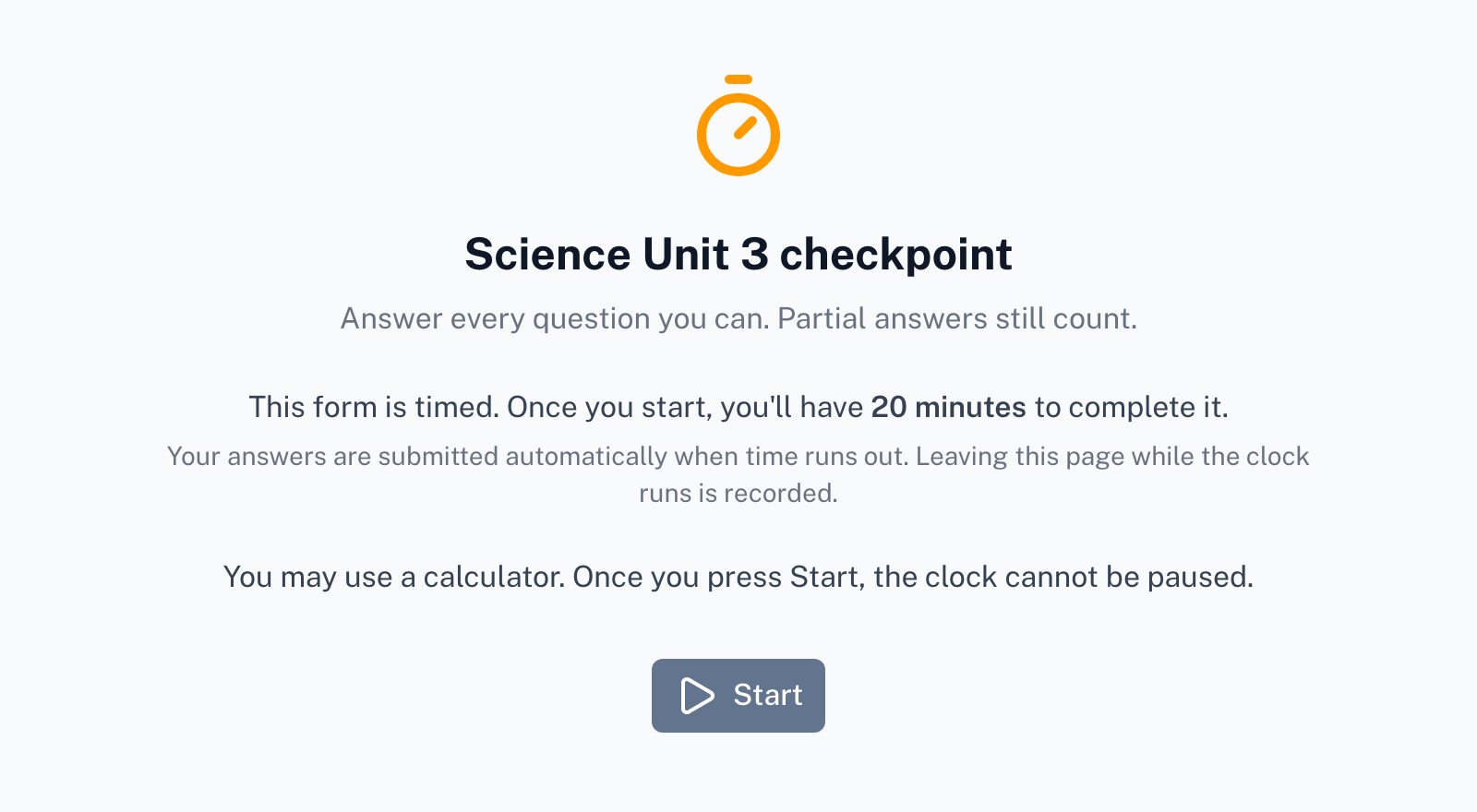
Nothing is timed until they press Start
The title, the time limit, what happens at zero and your instructions, before the clock runs
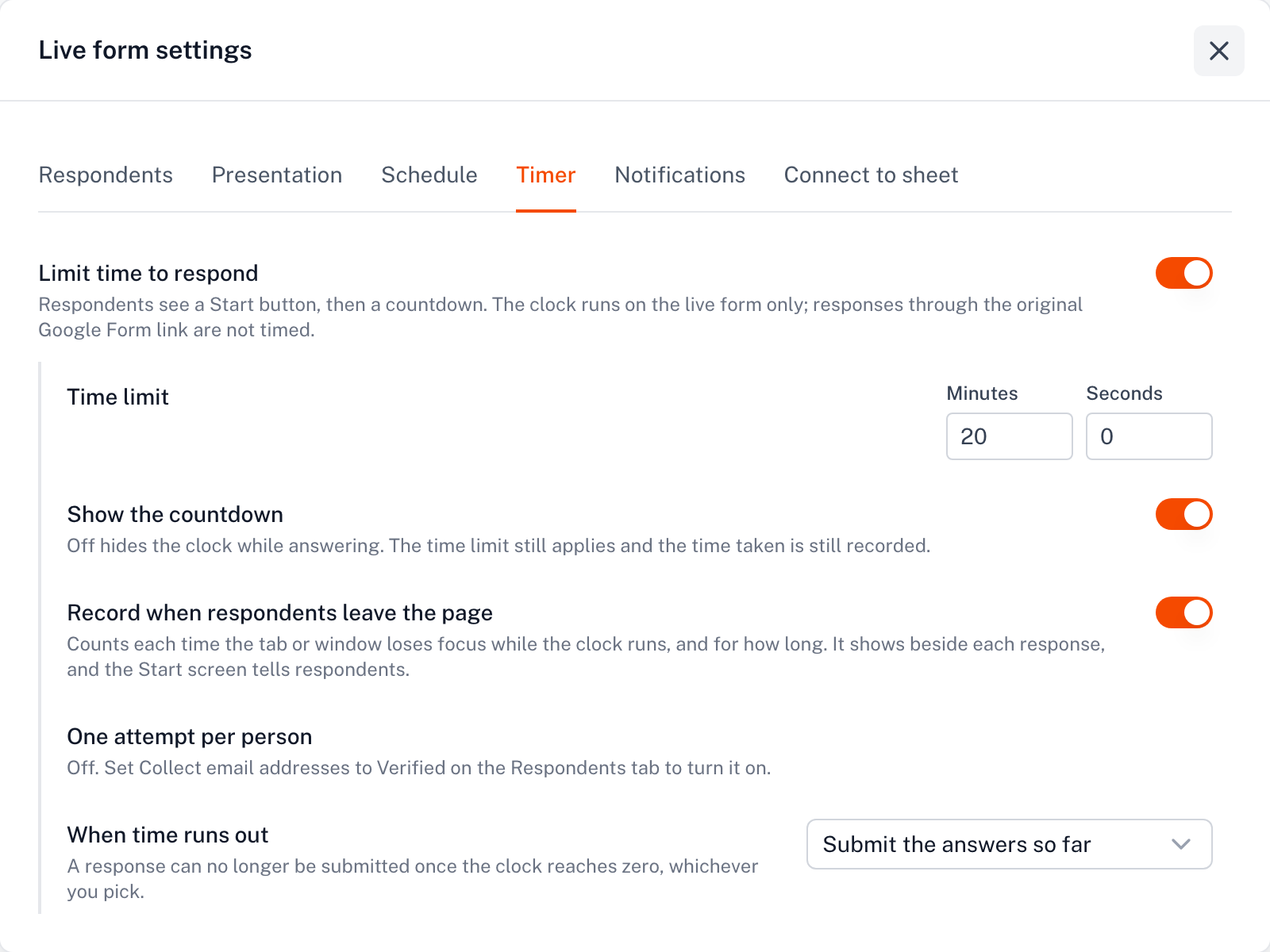
Set the limit in one dialog
Duration, submit or lock at zero, hidden timer, one attempt per person, focus record
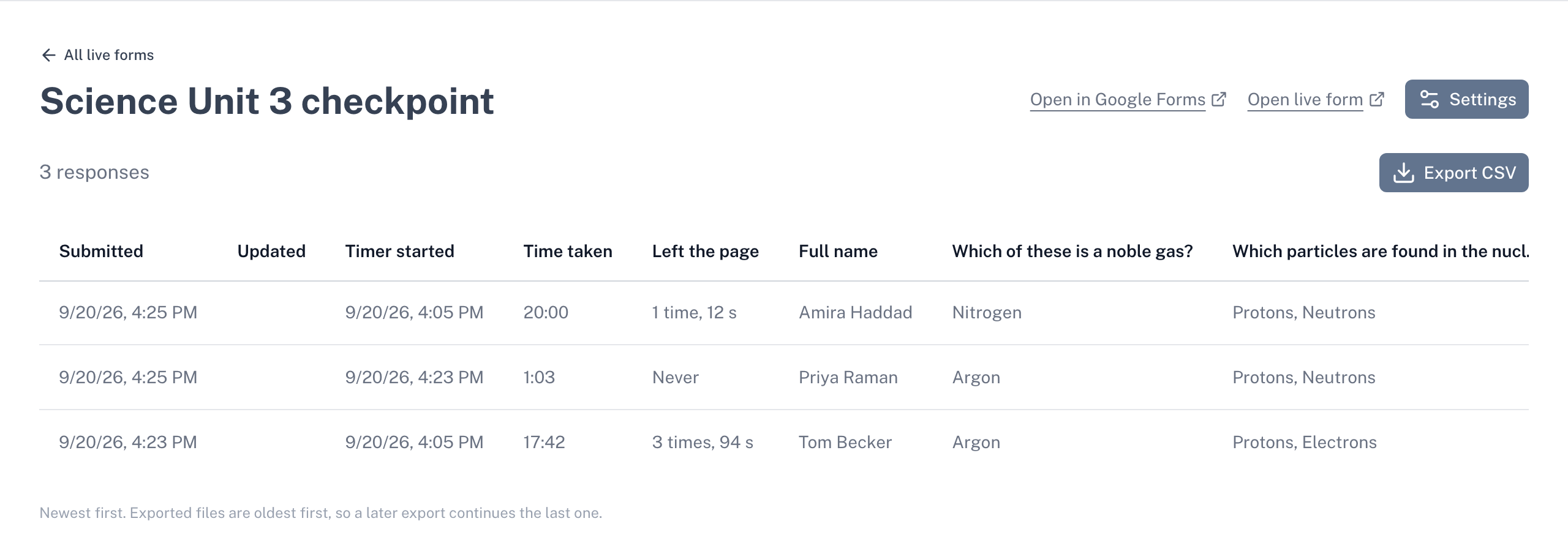
Time taken, next to every answer
When each person started and how long they took, in your dashboard, CSV and Google Sheet
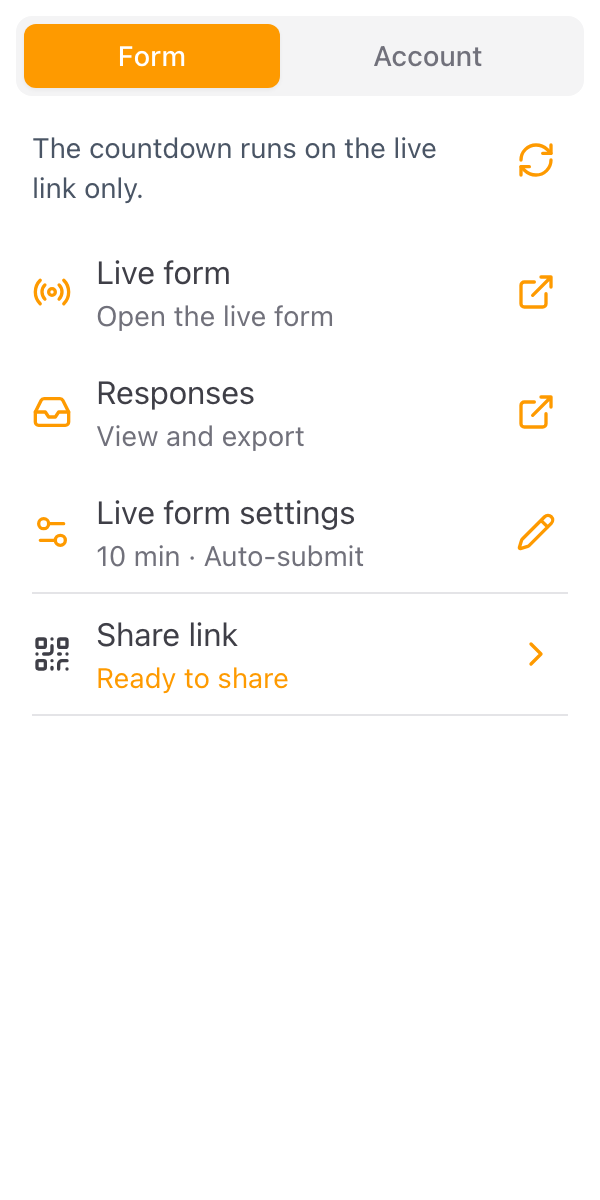
Share one live link
Copy it, open it, or hand out the QR code, and let the add-on close the original form
Everything you need
Powerful features to manage your Google Forms
A Countdown Respondents Can See
Set anything from ten seconds to twenty-four hours. A bar across the top of the page shows the time left and fills as it passes, on every phone and laptop, without anything to install.
Late Responses Are Refused
The deadline is worked out on our server from the moment each person presses Start. A response that arrives after it is not flagged or marked late. It is not accepted.
One Attempt per Person
Ask respondents to sign in with Google and each account gets one timed session. Closing the tab and opening the link again resumes the same clock. You can reset an attempt for one person from the dashboard.
A Focus Record
See how many times each respondent left the page and for how long, next to their answers. Respondents are told on the Start screen that this is recorded.
Only the People on Your List
Restrict the form to a list of email addresses, or to your school's or company's domain, so a shared link cannot be passed along.
Hidden Timer
Time the form without showing the countdown, when a visible clock would add pressure you do not want. The limit still holds and the time taken is still recorded.
A Start Screen with Your Instructions
Before the clock runs, respondents see the form's title, how long they will have, what happens at zero, and anything you want to tell them. Nothing is timed until they press Start.
Open and Close at a Set Time
Open the live form at a date and time so everyone starts in the same window, and close it after a deadline so nothing arrives afterwards.
Time Taken, Next to Every Answer
When each person started and how long they took land beside their answers in your dashboard, in the CSV export and in a Google Sheet if you connect one.
One Link, or a QR Code
Your form is published at a live link you copy, open or print as a QR code. You keep building and editing in Google Forms; press Sync and the live form follows. The add-on offers to close the original so nobody answers around the clock.
What people are saying about our add-ons
“The app is simple and does exactly what you think it should do. No frills and no errors. It just works perfect. Thank you.”
Gary Brown
Form Limiter · Marketplace review
“Intuitive, useful and functional. It's been a great option for an interactive form.”
Allan Ignacio Chacon Cabrera
Choice Eliminator · Marketplace review · translated from Spanish
“Really convenient to use, I love it!”
Sohyun
Choice Eliminator · Marketplace review · translated from Korean