 Form Limiter Live
Close Your Google Form at an Exact Number
Set a response cap. Every submission counts the moment it lands, so the form closes at exactly your number, not one over.
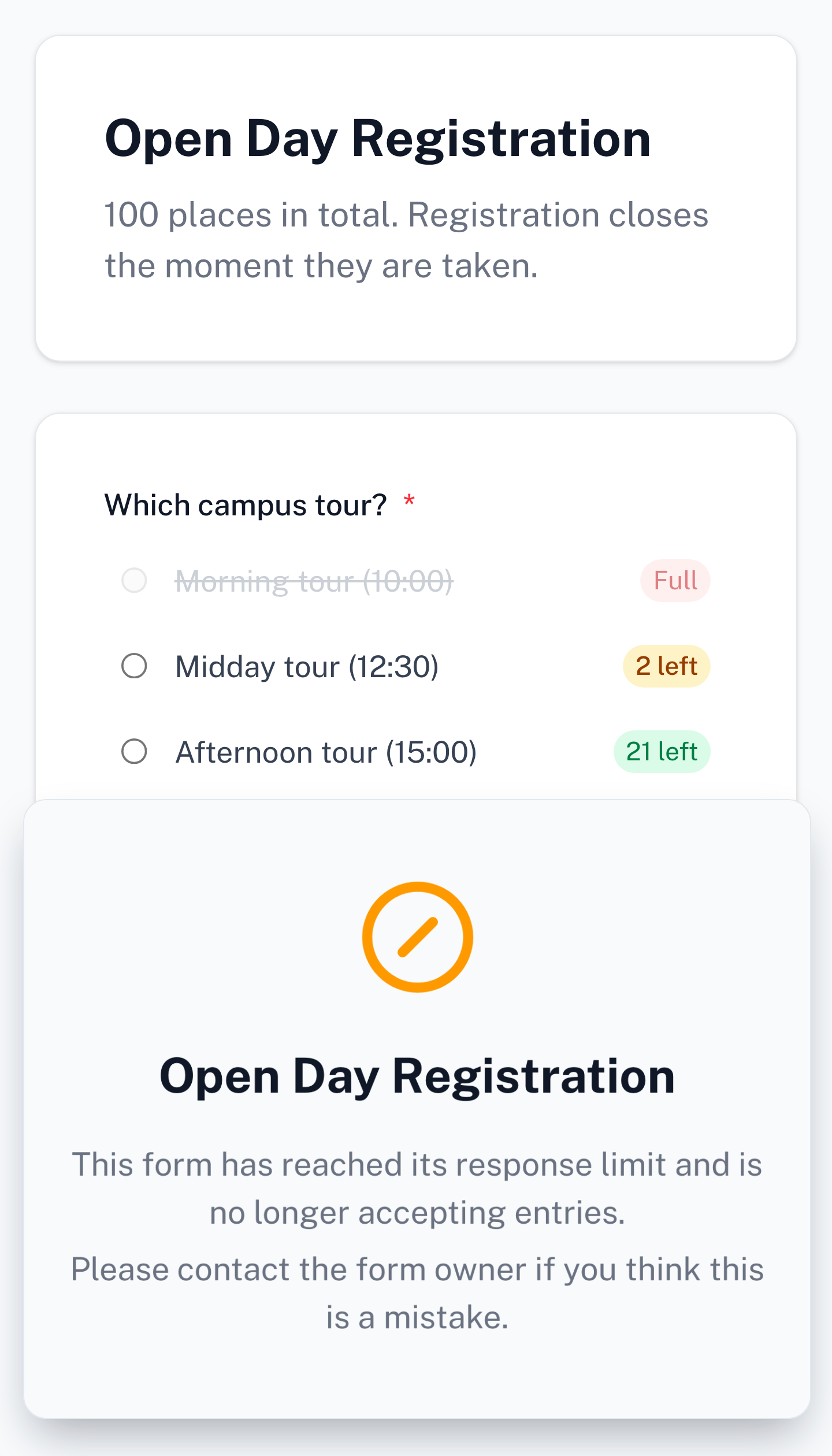
Auto-close at an exact number
The form closes at exactly the number you set, even when everyone submits in the same minute
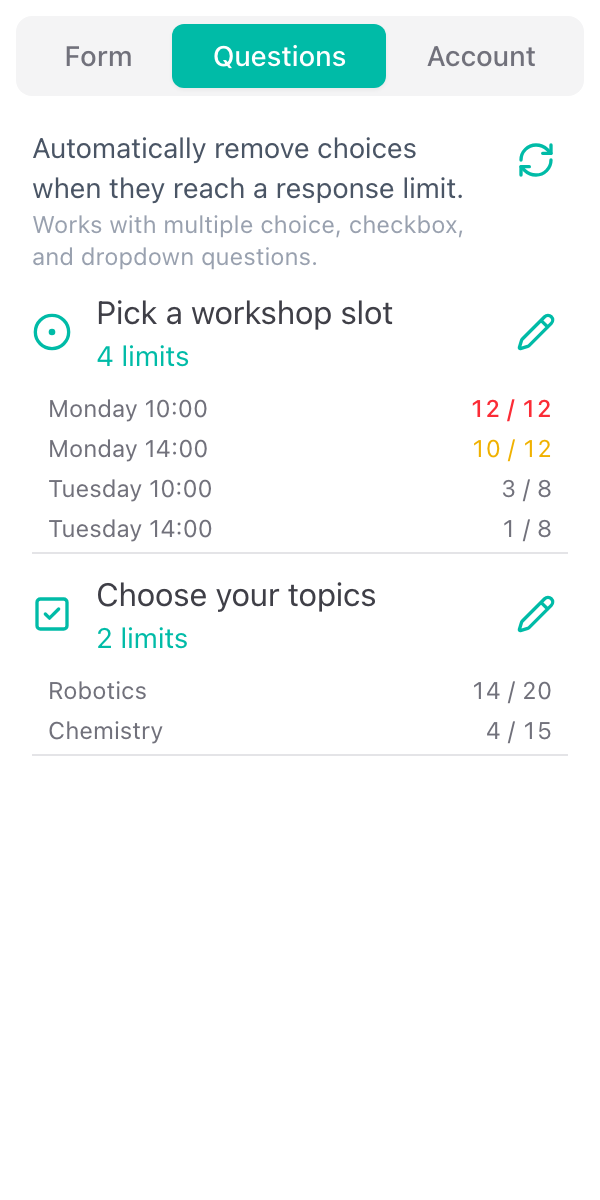
Set a limit for each choice
Give any option its own number of places, and respondents watch the spots left count down
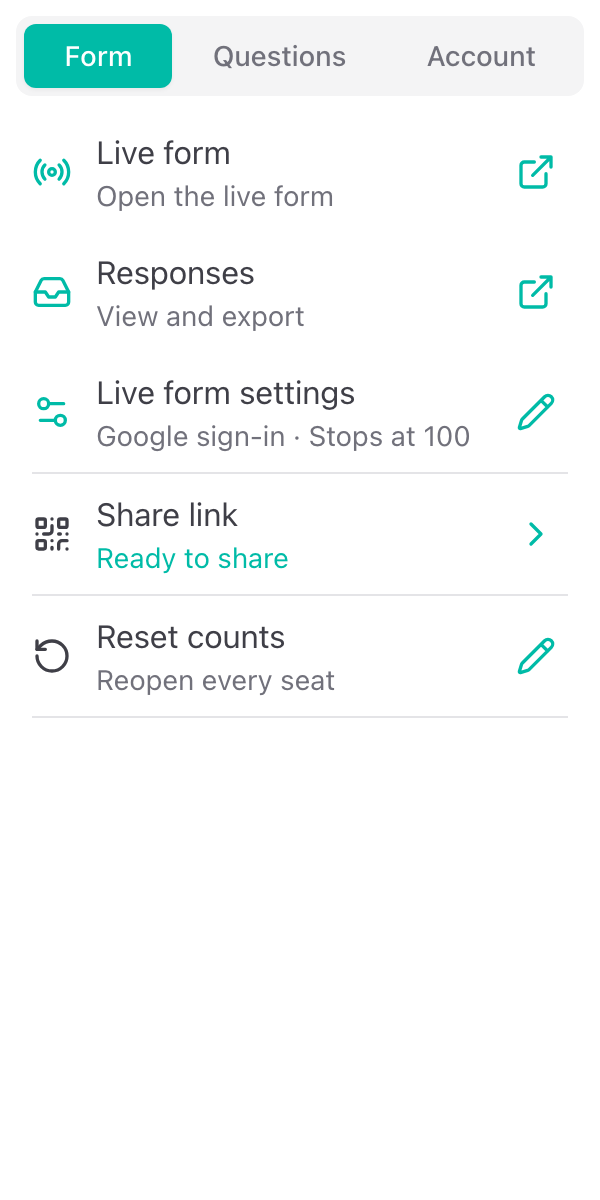
Everything you need
Powerful features to manage your Google Forms
Auto-Close at an Exact Number
Set the number of responses your form takes. On the live link the count is checked at the moment of submission, so the form closes at exactly that number. Not one over.
No Overbooking When Everyone Submits at Once
Each submission claims its place in one all-or-nothing step. Two people pressing submit at the same instant cannot both take the last one; the second is told the form is full.
Set a Limit for Each Choice
Give any option in a multiple choice, checkbox or dropdown question its own number of places too. Workshop seats, time slots, equipment. Blank means unlimited.
Show Spots Left on Every Choice
Respondents see "3 left" or "Full" on every capped choice, counting down as other people answer. A choice that fills closes on every open page at the same moment. No refresh.
Share One Live Link or QR Code
Your form is published at a live link you copy, open or print as a QR code. You keep building and editing in Google Forms; press Sync and the live form follows.
Sign-in and One Response per Person
Ask respondents to sign in with Google, allow one response per account with editing afterwards, and restrict the form to your school's or company's email domains.
Schedule and Notifications
Open and close the live form at a set date and time, and get an email when the form fills or a day before a scheduled close.
Responses in a Google Sheet
Every response goes to your dashboard and, if you connect one, to a spreadsheet in your Drive as it arrives. Export as CSV any time, including after your plan ends.
Reset for a New Intake
Put every choice back to zero and reuse the form next term, with your limits kept exactly as they are. Deleting the old responses is a separate, off-by-default tick.
What people are saying about our add-ons
“The app is simple and does exactly what you think it should do. No frills and no errors. It just works perfect. Thank you.”
Gary Brown
Form Limiter · Marketplace review
“Intuitive, useful and functional. It's been a great option for an interactive form.”
Allan Ignacio Chacon Cabrera
Choice Eliminator · Marketplace review · translated from Spanish
“Really convenient to use, I love it!”
Sohyun
Choice Eliminator · Marketplace review · translated from Korean