What Is a Timed Live Form?
Form Timer puts a time limit on your Google Form. It publishes a copy of the form at a Skyfield link, the live form. Respondents press Start, a countdown runs while they answer, and when it reaches zero the form either submits what they have or locks. You keep building and editing the form in Google Forms exactly as before; open the sidebar or press Sync now and your questions are copied across.
Why the clock runs on a live link
A native Google Form has no way to refuse a late response, so a timer that only lives in the respondent's browser is a suggestion: close the tab, reopen the form, and the clock is gone.
On the live form, the time limit is kept on Skyfield's servers. The clock starts when the respondent presses Start, the deadline is worked out from the server's time rather than the respondent's device, and a response that arrives after the deadline is refused. The countdown on the page is only a display of that deadline. Refreshing the page or changing the device clock does not buy more time.
What respondents see
- A Start screen. The form's title and description, how long they will have, what happens when time runs out, and any instructions you wrote. Nothing is timed until they press Start.
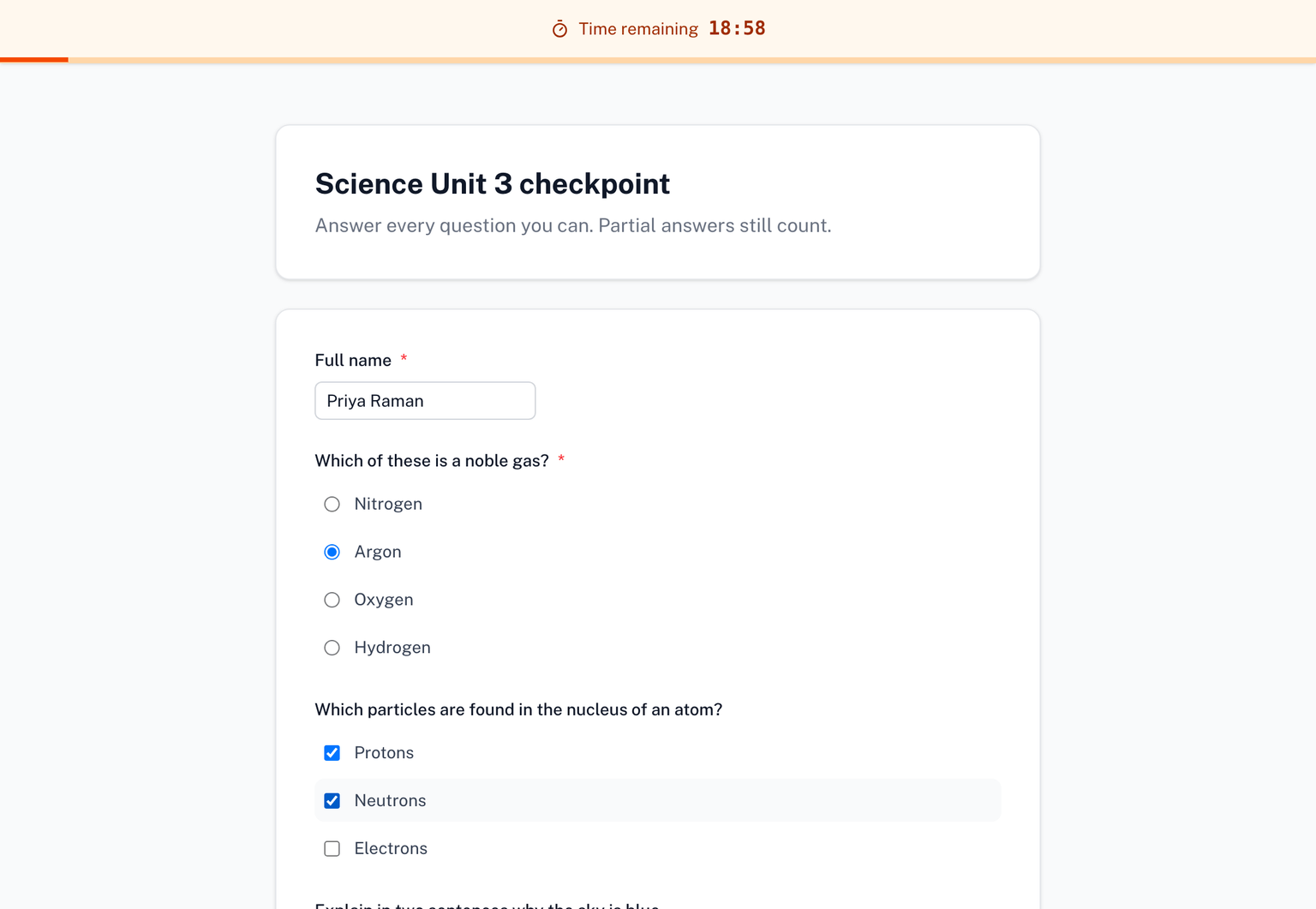
- A countdown. A bar fixed to the top of the page shows the time remaining and fills as time passes. You can hide it if a visible clock would add pressure you do not want.
- A clear ending. At zero the answers so far are submitted automatically, or the form locks, whichever you chose.
See What respondents see.
What changes when you go live
- You share a different link. Respondents answer at the live link. The add-on shows it in the sidebar, ready to copy or hand out as a QR code.
- The add-on offers to close the original Google Form. Responses sent through the original Google Forms link are not timed, so leaving it open would let people answer around the clock. See Share the link and close the original.
- Responses live with the live form. You view and export them from your live forms on skyfield.cloud, or have them copied to a Google Sheet, with the time each person took beside their answers.
- Quizzes are graded on the live form. A form with Make this a quiz on is scored automatically with your answer key. See Quiz mode.
- Your form's structure is stored on Skyfield's servers. The questions of the live form live with us so the link can serve them. What is stored and for how long is described in the privacy policy, and you can ask us to delete a live form and its responses at any time.
What it does not do
- It does not lock down the respondent's computer. Form Timer can record when someone leaves the page while the clock runs, but it does not block other tabs, copy and paste or screenshots.
Support
- Contact Us - Get in touch