 Styled Forms
Embed a Google Form That Looks Like Your Website
Pick a look, set your brand color and paste one snippet. Your Google Form shows up on your site as a branded form, and you keep editing it in Google Forms.
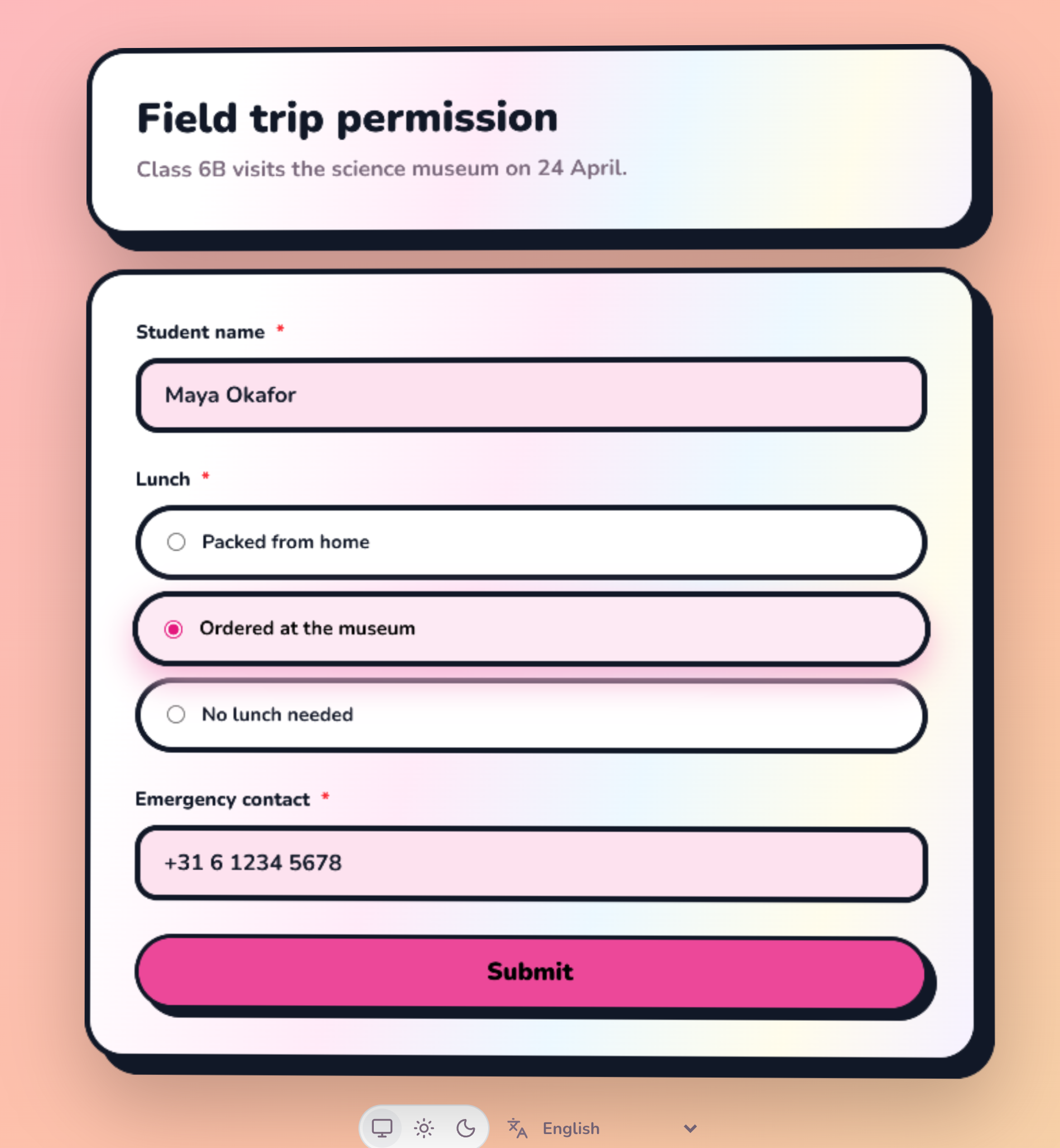
Your form, your look
Eight looks, from Business to Fun, each with its own fonts, corners and background
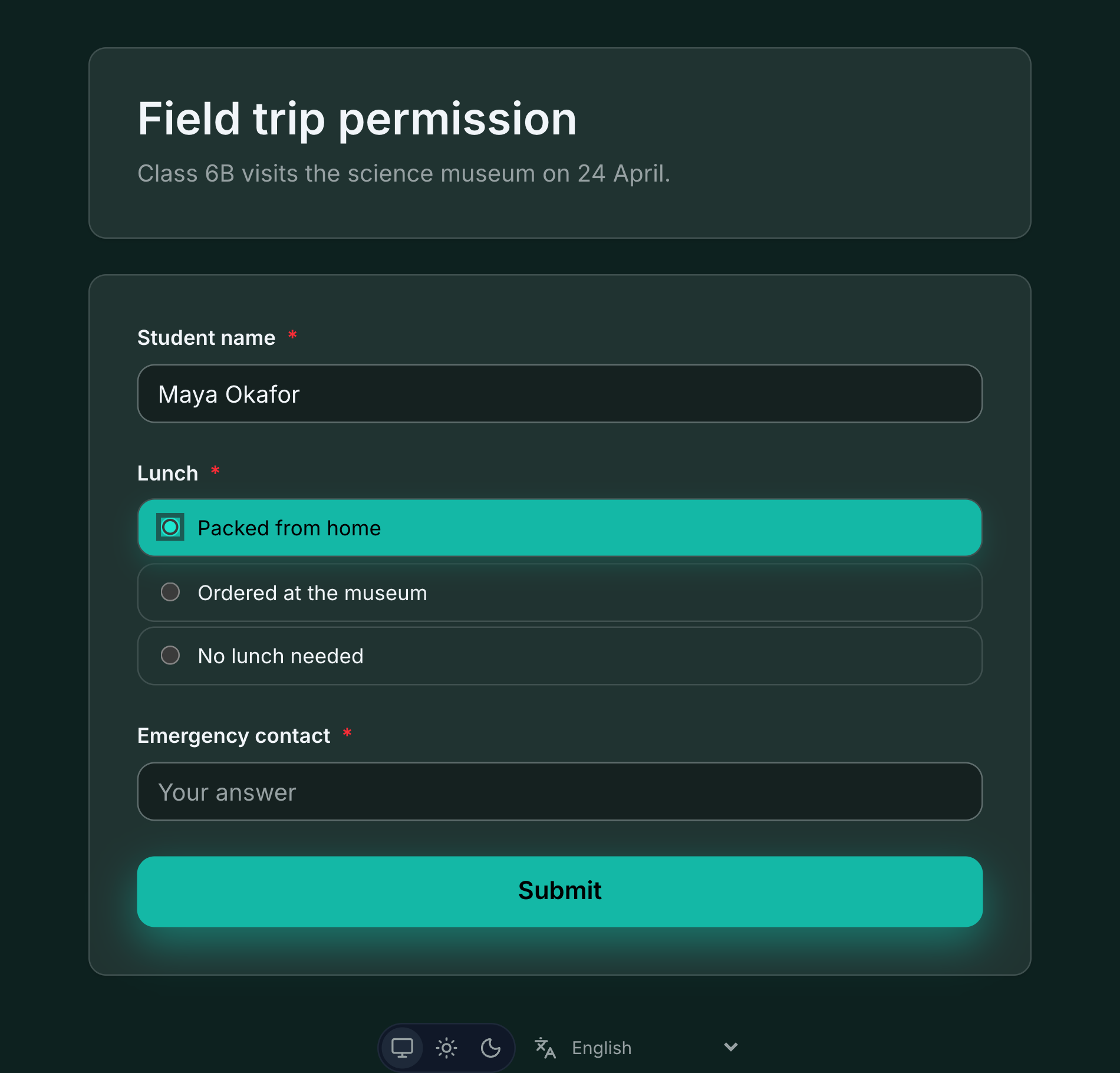
One color, light and dark
Pick a theme color. The look applies it everywhere and works out a dark version respondents can switch to
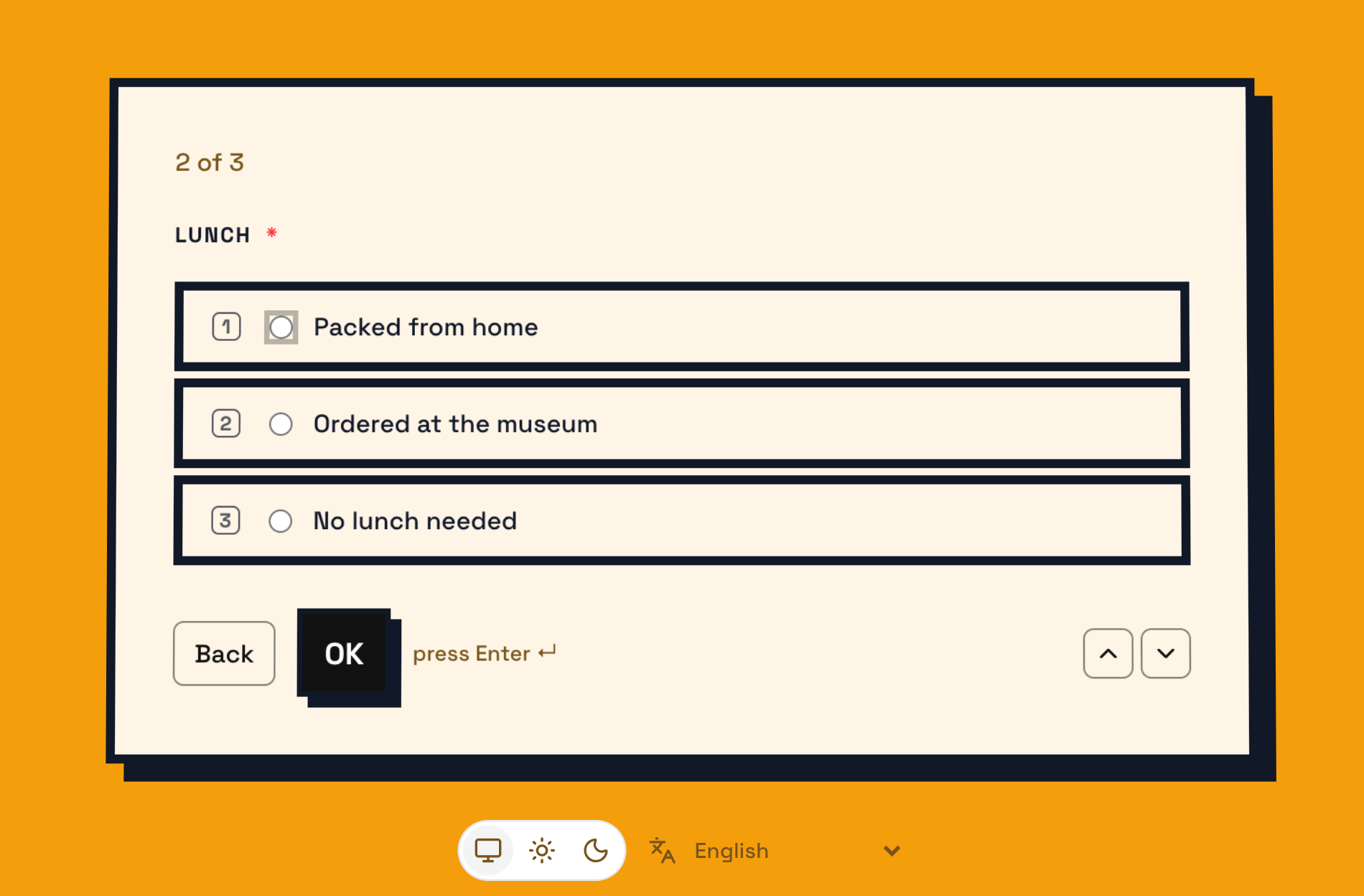
One question at a time
A conversational layout: Enter to continue, number keys to pick, one step per screen
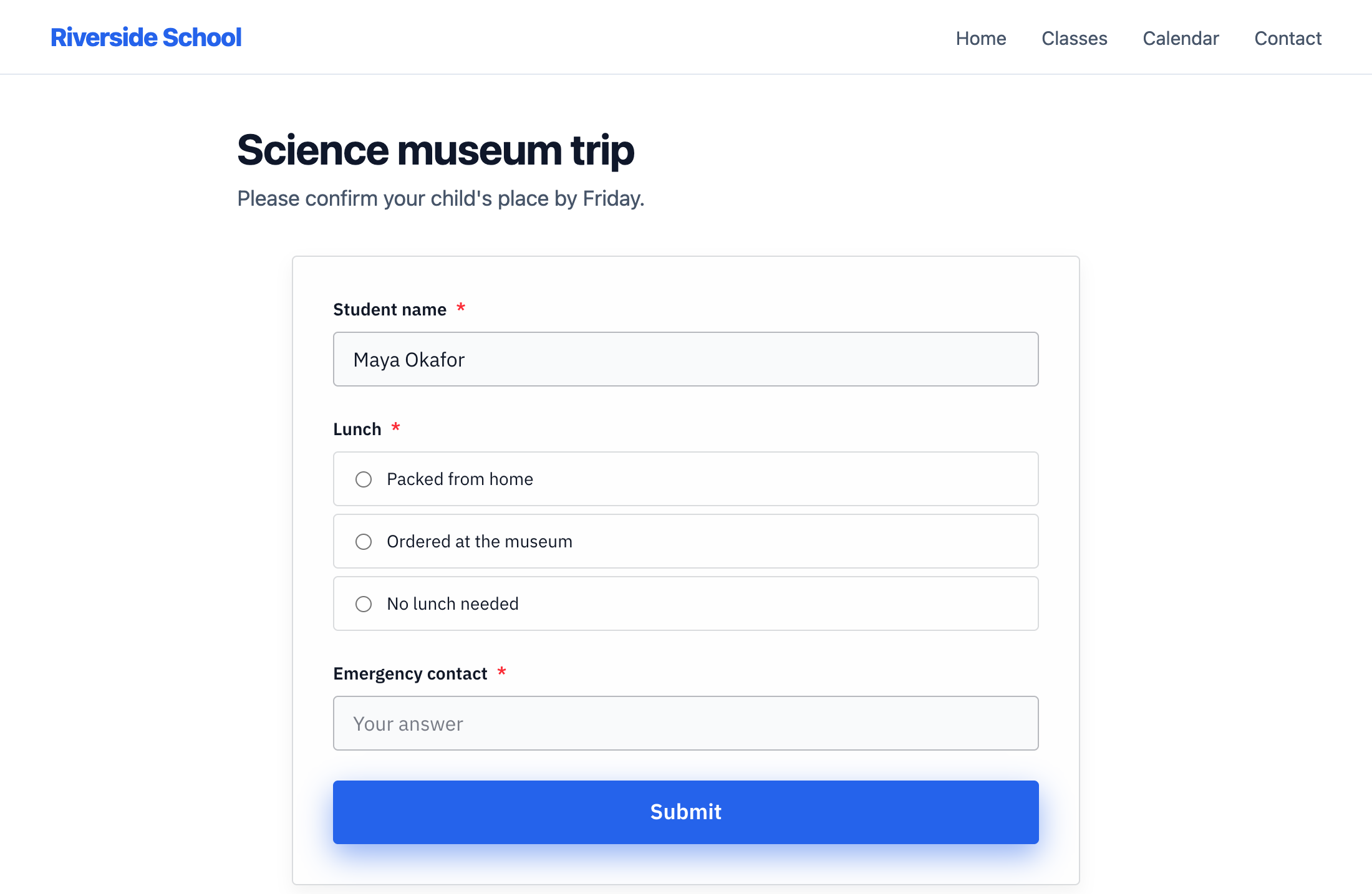
Embedded in your website
Paste one snippet and the form sits on your page in your brand, resizing itself to fit
Everything you need
Powerful features to manage your Google Forms
Embed in Your Website
Allow embedding, copy the embed code and paste it into your page. The form loads on your site, landing page or blog and resizes itself to fit, so visitors answer without leaving.
Themes with Their Own Character
Business, Fun, Glass, Editorial, Bold, Soft and Midnight each bring their own fonts, corners, borders and background. A Vibe slider takes every look from calm to expressive.
Your Brand Color
Choose one theme color. The look applies it to buttons, accents and the page, works out a light and a dark version, and adjusts it where needed so it stays readable.
One Question at a Time
A conversational layout with a single question per screen. Respondents press Enter to continue and number keys to pick a choice, and a required question holds the step until it is answered.
An Embed That Blends In
Turn on "Blend into my website" and the embedded form loses its page color, so its cards sit on your own background like a part of your site.
A Look for Every System
The OS look styles your form like macOS, iOS, Android, Windows 11, Windows 95 or DOS.
Customize What Shows
Show or hide the title, the required marks and the language picker, and align the form left, center or right. On an embedded form you can hide the Powered by line too.
Preview Before You Save
The settings dialog shows your real form beside the controls, in light, dark and phone view. A new look reaches respondents only when you press Save.
Responses in Your Dashboard and in Google Sheets
Responses are stored with the live form on our servers. View and export them as CSV from your dashboard, or connect a Google Sheet and each one is copied there as it arrives.
One Flat Price
No response quota and no charge per submission. A form that gets popular costs the same as one that does not.
What people are saying about our add-ons
“The app is simple and does exactly what you think it should do. No frills and no errors. It just works perfect. Thank you.”
Gary Brown
Form Limiter · Marketplace review
“Intuitive, useful and functional. It's been a great option for an interactive form.”
Allan Ignacio Chacon Cabrera
Choice Eliminator · Marketplace review · translated from Spanish
“Really convenient to use, I love it!”
Sohyun
Choice Eliminator · Marketplace review · translated from Korean