
What Is Form Quiz?
How Form Quiz grades typed answers in a Google Forms quiz with AI, and makes keyed quizzes from a lesson, a file or a photo
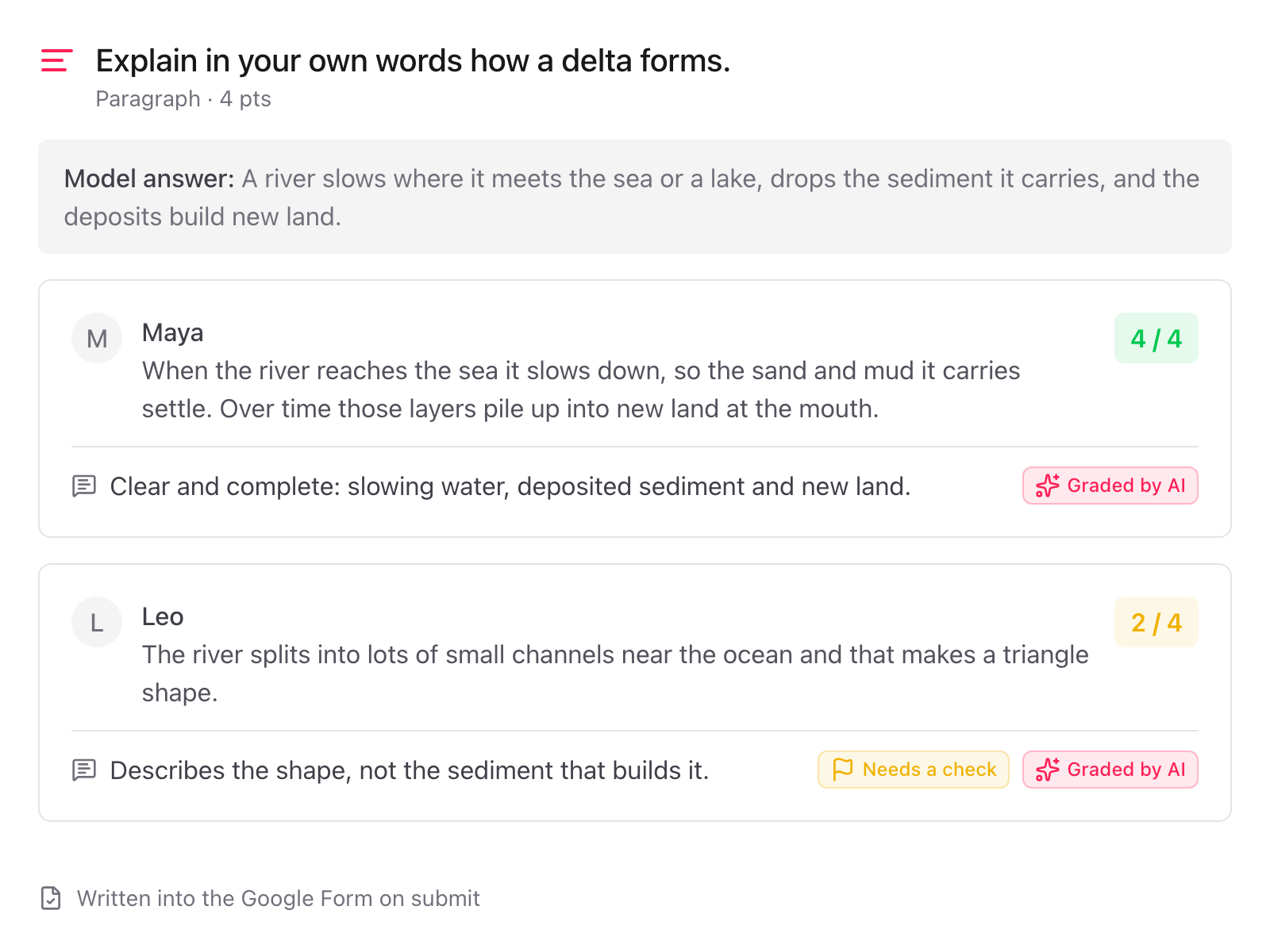
Form Quiz does two things in Google Forms. It grades typed answers: every short answer and paragraph is scored against your model answer as it comes in, with a line of feedback. And it makes the quiz: paste a lesson, upload a PDF or a photo, or pick a file from Google Drive, and the questions arrive with correct answers, points and model answers for you to check.
How it works
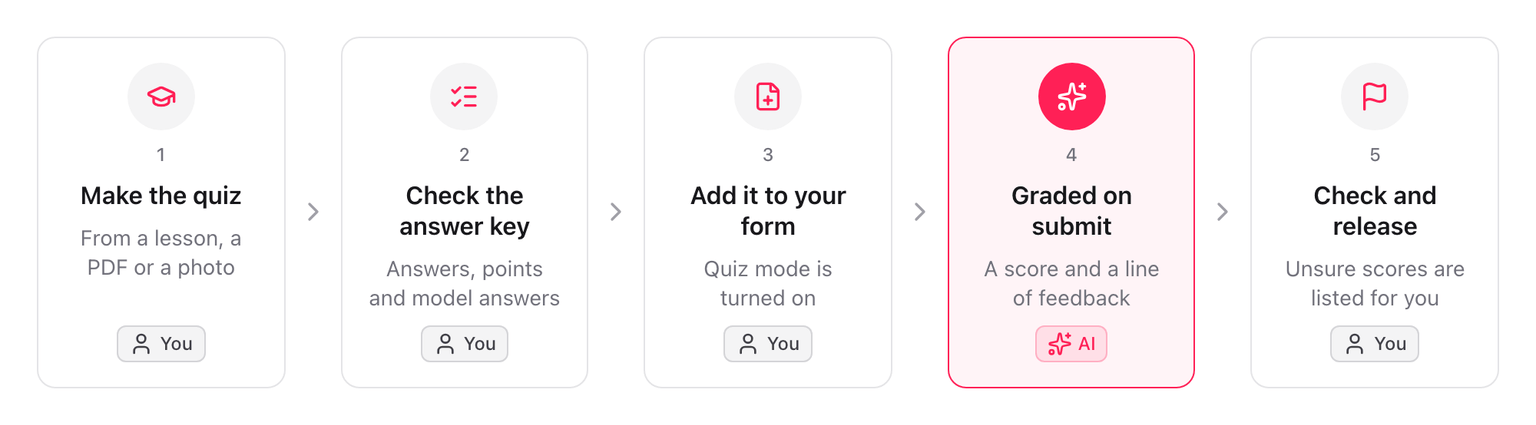
- Make the quiz. Open the dialog from the sidebar and give it a source: a text, a file, a photo or a Drive file. See Make a quiz.
- Check the answer key. Every question is listed with its key and points. Change the correct answer, the points or the model answer before anything touches your form. See Check the answer key.
- Add it to your form. One button writes the questions, keys and points into your Google Form and turns on quiz mode. See Add the quiz to your form.
- Typed answers are graded on submit. Each answer gets a score and a line of feedback, written into the Google Form. See AI grading.
- You check and release. Answers the AI was not sure about are listed in the sidebar and in a daily email. Change any score in Google Forms, then release the scores. See Check and release scores.
The result is a normal Google Forms quiz. Multiple choice, checkboxes and dropdowns are scored by Google Forms itself. Form Quiz adds the scores Google Forms cannot give: the typed answers.
What is sent where
- The text or file you choose is processed to make the quiz.
- Each typed answer that is graded is processed to score it. The name and email of the respondent are not sent. The answer text and its feedback are not stored on our side.
- Only the file you pick in Google Drive is read. The add-on cannot see the rest of your Drive.
Nothing is used to train AI models. Details are in the privacy policy.
What it does not do
- It does not release scores for you. Releasing scores stays a Google Forms setting.
- It does not grade questions you add by hand. AI grading covers the typed-answer questions Form Quiz added, with a model answer.
- It does not limit, schedule or time the form. That is what Form Limiter, Form Scheduler and Form Timer are for.
Support
- FAQ - Common questions
- Contact Us - Get in touch