
Check and Release Scores
The AI does the first pass. You keep the final say: check the answers it was not sure about, change any score in Google Forms, then release the scores.
Answers to check
An answer is listed for you when the AI was not sure of its score, or when it was not graded because the month's free answers ran out.
In the sidebar. The Form tab shows 3 answers to check, with the date of the last grading. Click the link icon next to it to open the form's responses. The row is hidden when there is nothing to check.
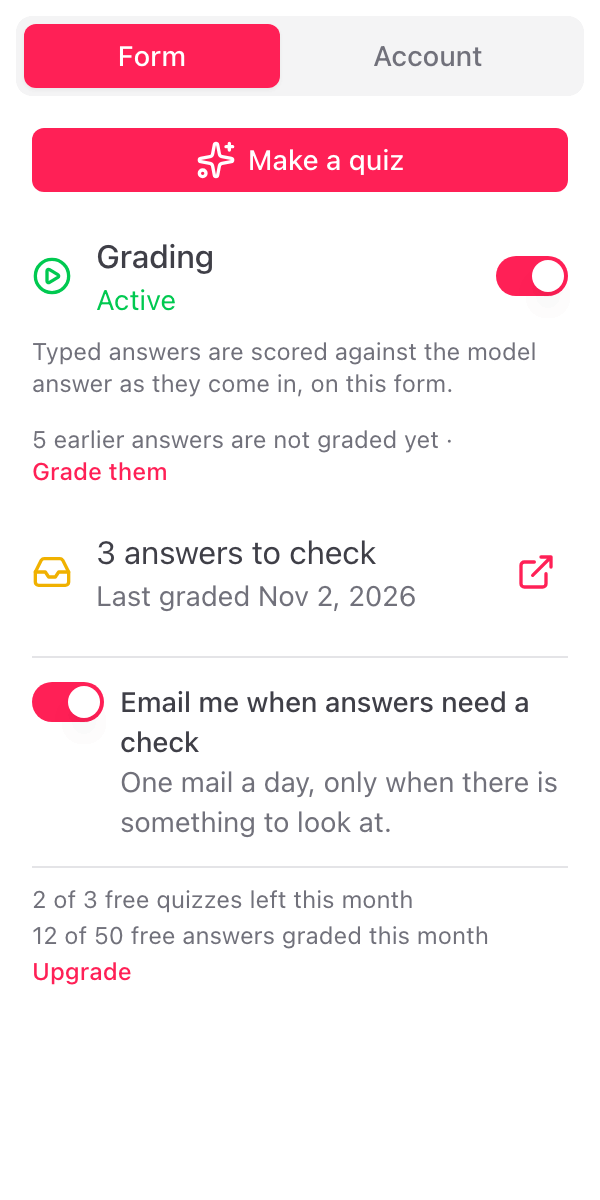
In the daily email. With Email me when answers need a check on in the sidebar, you get at most one email a day for the form, only when there is something to look at. It lists each answer with the respondent, the score and the feedback, and AI not sure beside the score. An answer that was not graded reads Not graded: no free answers left this month. Each has a link to open the response.
The feedback students read carries no mark. "Not sure" lives only in the sidebar and in the email.
Change a score
Scores and feedback are written into Google Forms, so you change them the way you change any score:
- In Google Forms, open Responses, then Individual
- Go to the response
- Change the points on the question, and the feedback if you like
- Click Save
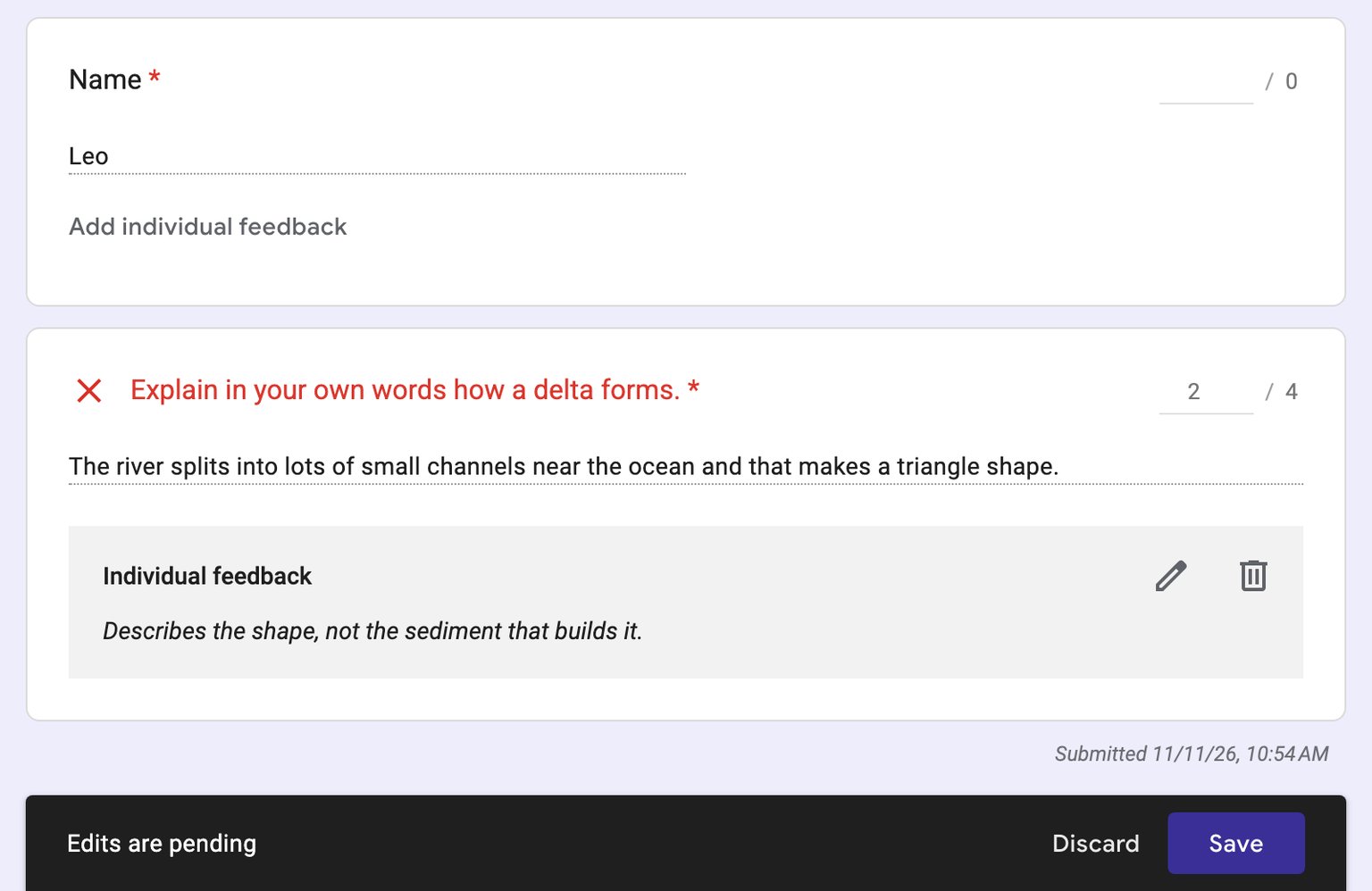
Your change stays. An answer is never graded twice, so Form Quiz does not overwrite it.
Release scores
Releasing scores is a Google Forms setting, in the form's Settings, under Release grades:
- Immediately after each submission. Google Forms shows the score at once.
- Later, after manual review. Students see their score when you release it in Responses.
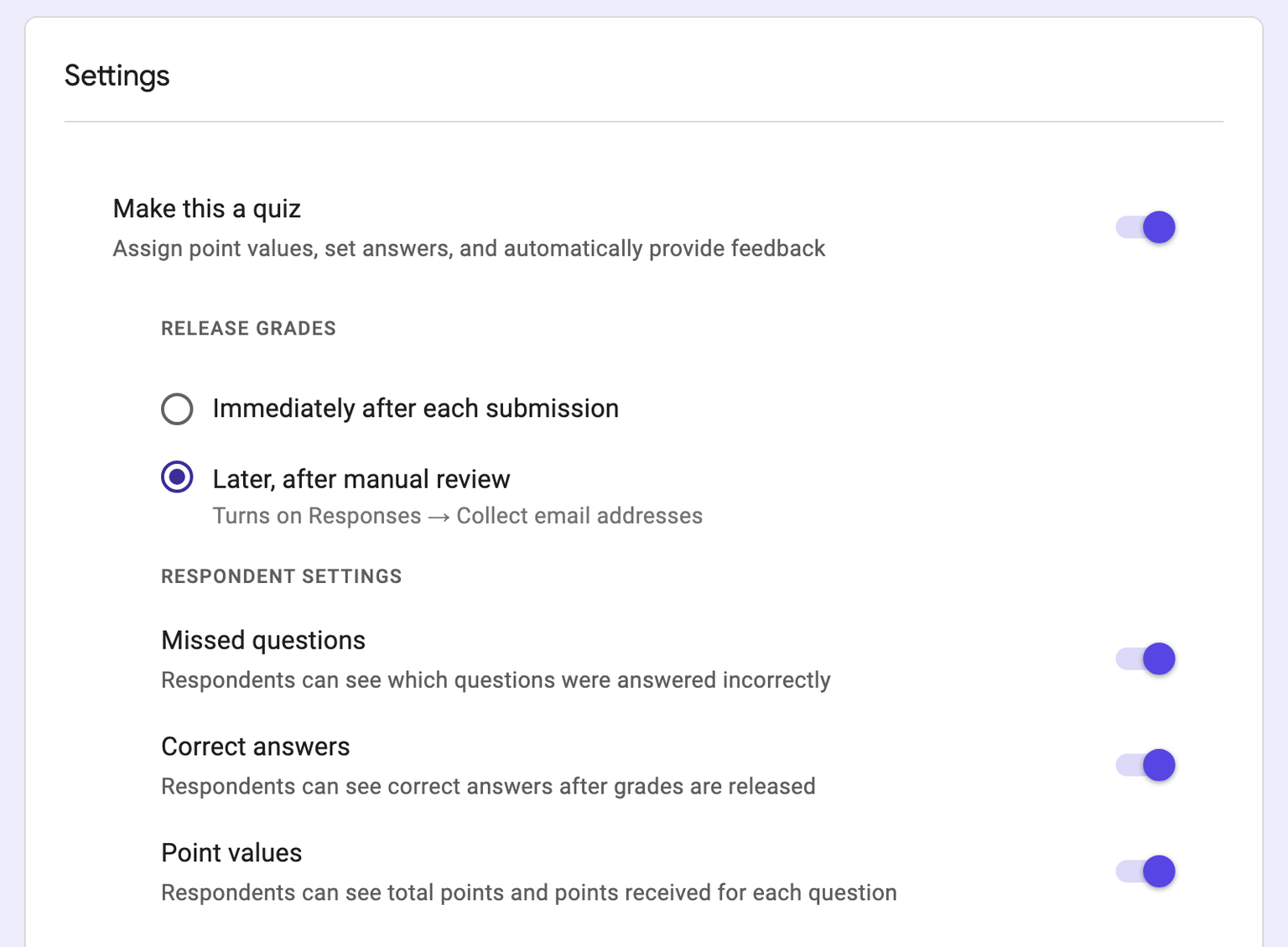
For a quiz with typed answers, choose Later, after manual review. A typed answer is graded just after the response comes in, so with immediate release Google Forms can mail a partial score before the AI score is there. The Quiz ready screen and Options in the dialog link to this setting.
When you have checked the listed answers, release the scores in Google Forms. Students then see their score and the feedback on each question.