What Is Slides Translator?
How Slides Translator translates the text of the Google Slides deck you have open with Gemini or Claude, from a sidebar, in place
Slides Translator translates a Google Slides presentation from a sidebar next to your slides. Pick a language, choose what to translate, press one button, and Gemini or Claude writes the translation into the deck you have open, right where the text is.
How it works
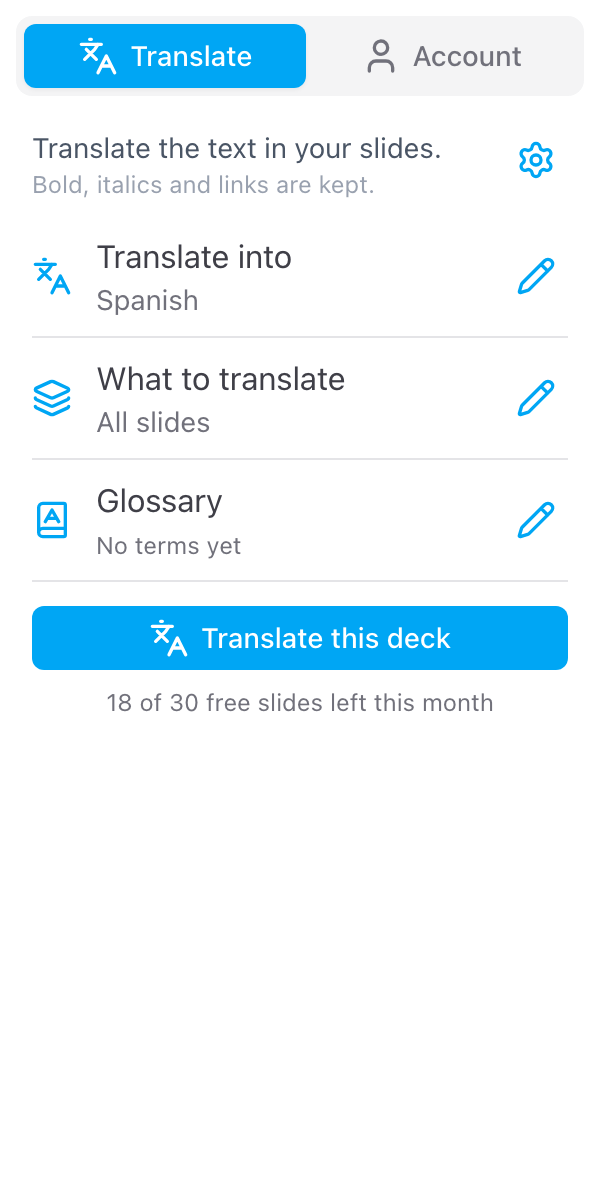
- Pick a language and what to translate. All slides, the slide you are on, or what you have selected. See Language and slides.
- Add your terms, if you have any. A glossary keeps product names and in-house words the way you want them. See Glossary.
- Keep the original, if you want to. The text is replaced in the open deck, so to keep the original make a copy first, with the button in the sidebar, and translate the copy. See Keep the original.
- Press Translate this deck. You confirm, then the sidebar reads the deck, translates it and writes the translation into it. Keep the sidebar open while it runs.
- Fix what needs a check. A line that came back incomplete is listed with its slide number, so you can fix it in the sidebar. See Check the translation.
Who it is for
- Teachers with multilingual classes. Give newcomer and ESL/ELL students a lesson in their home language, next to the English original. See Classrooms, families and teams.
- Schools talking to families. Translate a parent evening deck or a newsletter made in Slides into the languages spoken at home, one copy of the deck per language.
- Presenters. Give the same talk in another language, speaker notes included.
- Global teams. Hand a sales, training or all-hands deck to colleagues abroad, with product names kept as they are.
What is translated
- Text in text boxes, shapes and placeholders
- Tables, cell by cell
- Grouped shapes
- Speaker notes, unless you turn them off under the cog
Bold, italics and links are kept, and so are fonts, font sizes and colours.
What is sent where
- The text of the slides you translate is sent to Skyfield's server, which has it translated by an AI provider (Gemini or Claude) acting on our behalf, and the translation comes straight back to the sidebar. Skyfield does not keep the text of your slides.
- Each run is recorded to count your free slides: your email address, the number of slides and the target language. See the privacy policy.
- Only the deck you have open is read and written. Slides Translator has no access to Google Drive and does not open your other presentations. It creates no files.
What it does not do
- It does not make a copy for you. The text is replaced in the open deck. To keep the original, make a copy first and translate the copy, or bring the original back with File > Version history.
- It does not read text inside images. A picture of a slide, a screenshot or a logo with words in it stays as it is.
- It does not change the text direction. Arabic, Hebrew and other right-to-left languages are written, but the paragraph direction and alignment stay as they were.
- It translates into one language per run. For a second language, run it again, in another copy of the original.
- It does not translate Docs or Sheets. It works in Google Slides only.
Support
- FAQ - Common questions
- Contact Us - Get in touch