
Glossary
A glossary tells the translator how to handle the words that matter to you: a product name that stays in English, a team name, a phrase your company always translates the same way.
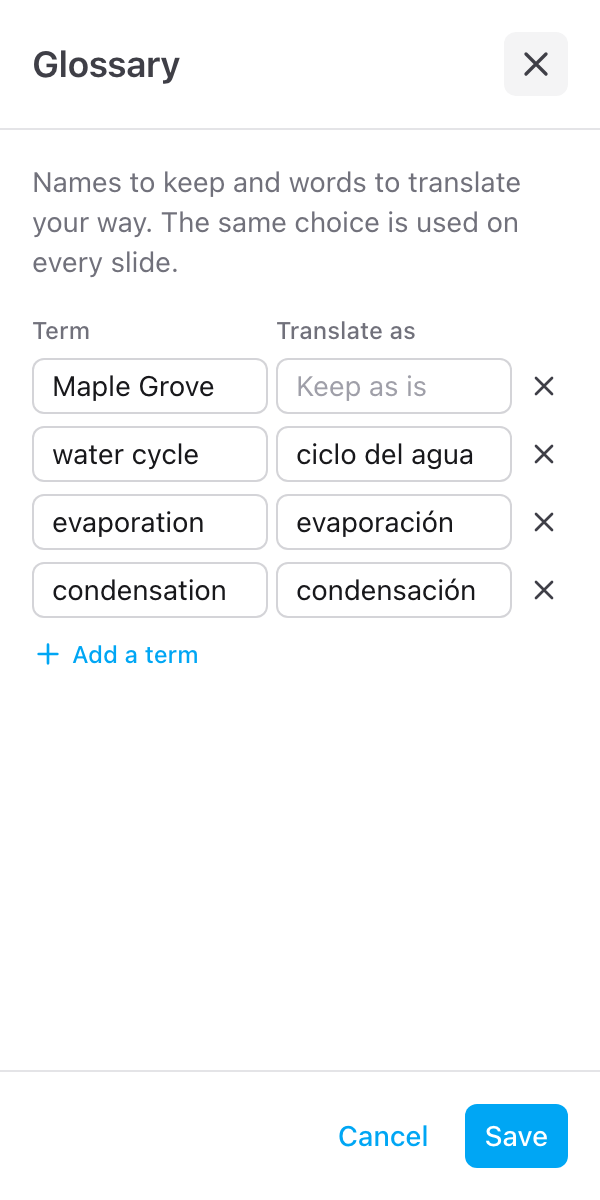
Add terms
- Click the pencil on the Glossary row on the Translate tab
- Click Add a term
- Type the word under Term, and what it should become under Translate as
- Add more terms the same way, then click Save
The row then shows how many terms there are, for example 3 terms. With none it reads No terms yet.
Keep a name as it is
Type the name under Term and leave Translate as empty. The name stays exactly as it is in every language.
| Term | Translate as |
|---|---|
| Skyfield |
Translate a term your way
Fill in both sides:
| Term | Translate as |
|---|---|
| Q3 review | Q3-Rückblick |
| Help desk | Service Desk |
Change or remove a term
Open the glossary again, edit a row, or click the x next to it to remove it. A row with no term is skipped when you save, and the same term twice is kept once. Up to 100 terms are used.
Where it is kept
The glossary is saved with the deck, so anyone who opens Slides Translator on the same presentation uses the same terms. A glossary is written for one target language: when you translate the same deck into another language, change the translations to match.