
Free Slides and Limits
| What | Limit |
|---|---|
| Free slides without a plan | 30 per month |
| Slides on a paid plan | Unlimited |
| Target languages per run | 1 |
| Glossary terms | 100 |
Free slides
Without a paid plan, Slides Translator translates 30 slides a month for free, with no credit card and no trial that runs out.
- A slide counts once for each language you translate it into. Translating 10 slides into Spanish and then into French is 20.
- Translating the same slides into the same language again counts again.
- A run that fails, or stops before it is written, does not count.
- Fixing a line from the lines that need a check does not count.
- The count resets on the 1st of every month (UTC).
Under the button, the sidebar shows how many are left, for example 18 of 30 free slides left this month.
When a run needs more slides than you have left, the sidebar warns you under the button, for example This run needs 40 slides, 12 left this month. Pick fewer slides or upgrade. A run that does not fit is refused as a whole, before anything is translated, so nothing is counted. Slides without text are not counted, so a run close to the limit can still fit.
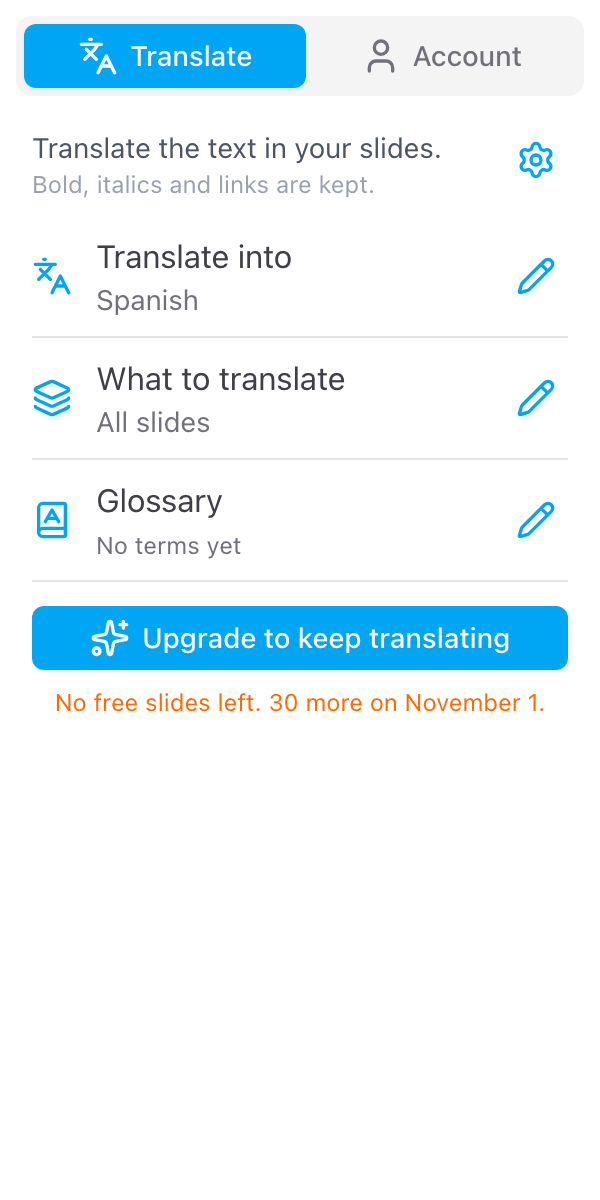
When none are left, the button changes to Upgrade to keep translating and the sidebar says when the next 30 arrive. A paid plan lifts the limit straight away. See pricing.
Paid plans
A paid plan has no monthly count in the sidebar. Slide translations are unlimited for normal use, with a fair-use ceiling that stops bulk and automated use. If you ever reach it, the sidebar says so. Email info@skyfield.cloud if you need more. The exact ceiling is in our terms.
Long decks
A long deck is translated in parts, one after the other, and the sidebar counts them, for example 2 of 5. The translation is written only when every part is done, in one go. If the sidebar still says This is too much text for one go, select part of the deck, translate it, then translate the rest. See Language and slides.
What is not translated
- Text inside images, including screenshots and logos
- Charts and diagrams that are images
- Videos
- Text in the theme or layouts, outside the slides themselves