
Webhooks (JSON)
A Webhook rule POSTs every matching response as JSON to a URL you provide. Use it to feed a CRM, a spreadsheet tool, your own server, or an automation platform such as Zapier, Make or n8n.
Create a webhook rule
- Click + New rule and pick Webhook
- When: keep Every response, or pick Only after approval / When rejected and set an approver. Add Only if conditions to send only matching responses
- To: paste your endpoint URL (HTTPS only). There is no Message step: the rule sends a fixed JSON payload. Show payload under the URL shows it with your form's questions, ready to copy
- Click Create rule, then copy the signing secret shown once (see below)
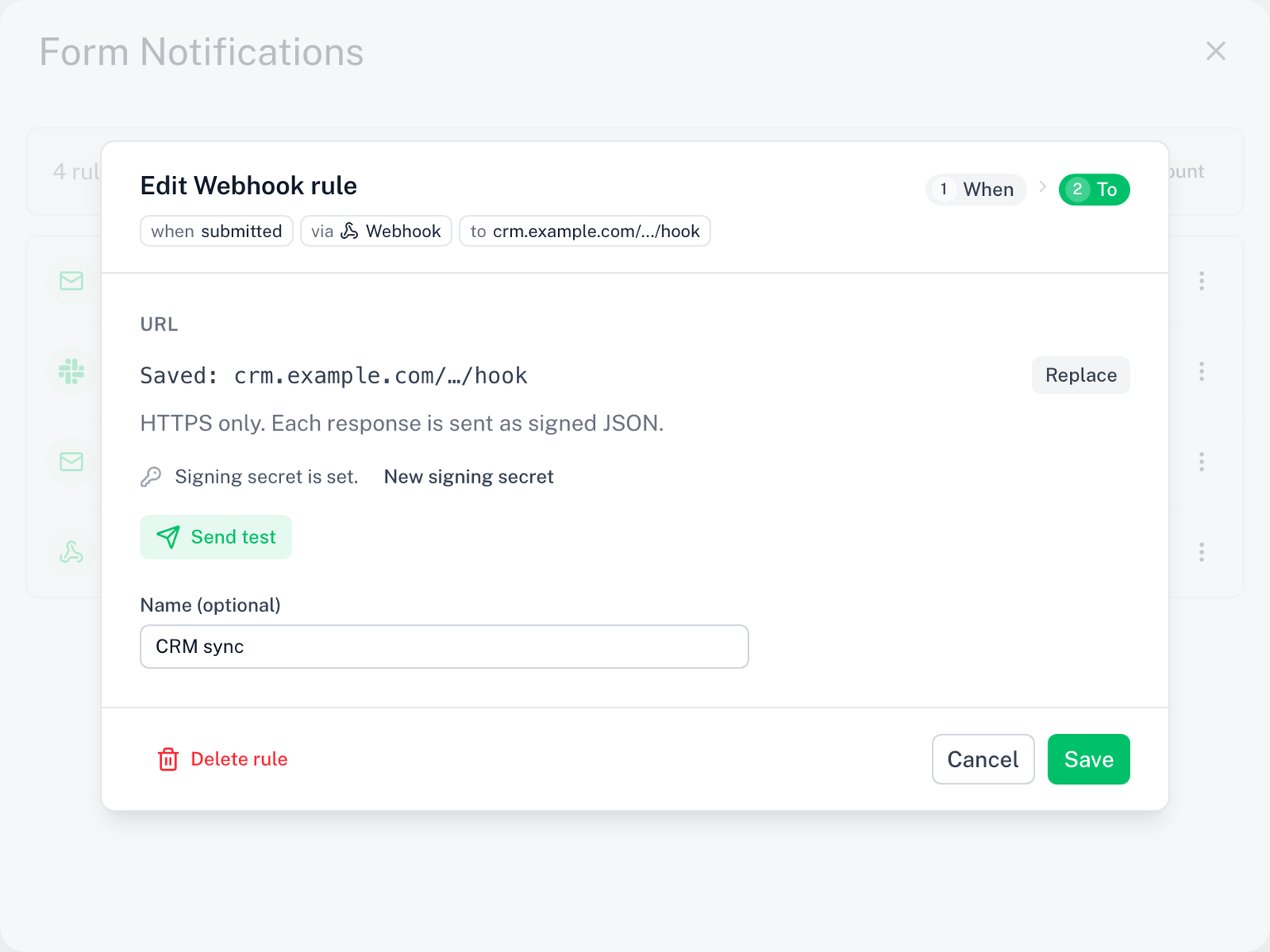
Send test sends a sample payload, signed, to the endpoint and shows the HTTP status it returned. Saved URLs are stored encrypted and shown masked; click Replace to paste a new one.
The payload
Each request is POST, Content-Type: application/json, with this body:
{
  "version": 1,
  "event": "submitted",
  "form": { "id": "1AbC...", "name": "Workshop sign-up" },
  "response": {
    "id": "a3f1...",
    "submittedAt": "2026-01-31T09:30:00.000Z",
    "respondentEmail": "respondent@example.com",
    "answers": [
      { "questionId": "q1", "title": "Your name", "value": "Ada Lovelace" },
      { "questionId": "q3", "title": "Department", "value": "Ops" }
    ]
  },
  "rule": { "id": "rule id", "name": "Zapier: new lead" }
}
eventis one ofsubmitted,approved,rejected; it also rides in theX-Skyfield-Eventheaderresponse.respondentEmailisnullunless the form collects email addressesanswers[].valueis always a string; checkbox answers are joined with,rule.idandrule.nameidentify the rule that fired;nameisnullwhen the rule has no name- On
approvedandrejected, an extraapproval: { "decision": "approved", "decidedBy": "Dana" }is included.decidedByis the name the approver typed on the approve page, else the approver's email, ornull
version stays 1 as long as the shape above is stable. New fields may be added; none are removed or renamed without a version bump.
Verifying the signature
Every request carries an X-Skyfield-Signature header: sha256=<hex>, the HMAC-SHA256 of the raw request body keyed with the rule's signing secret. Verify it before trusting a request.
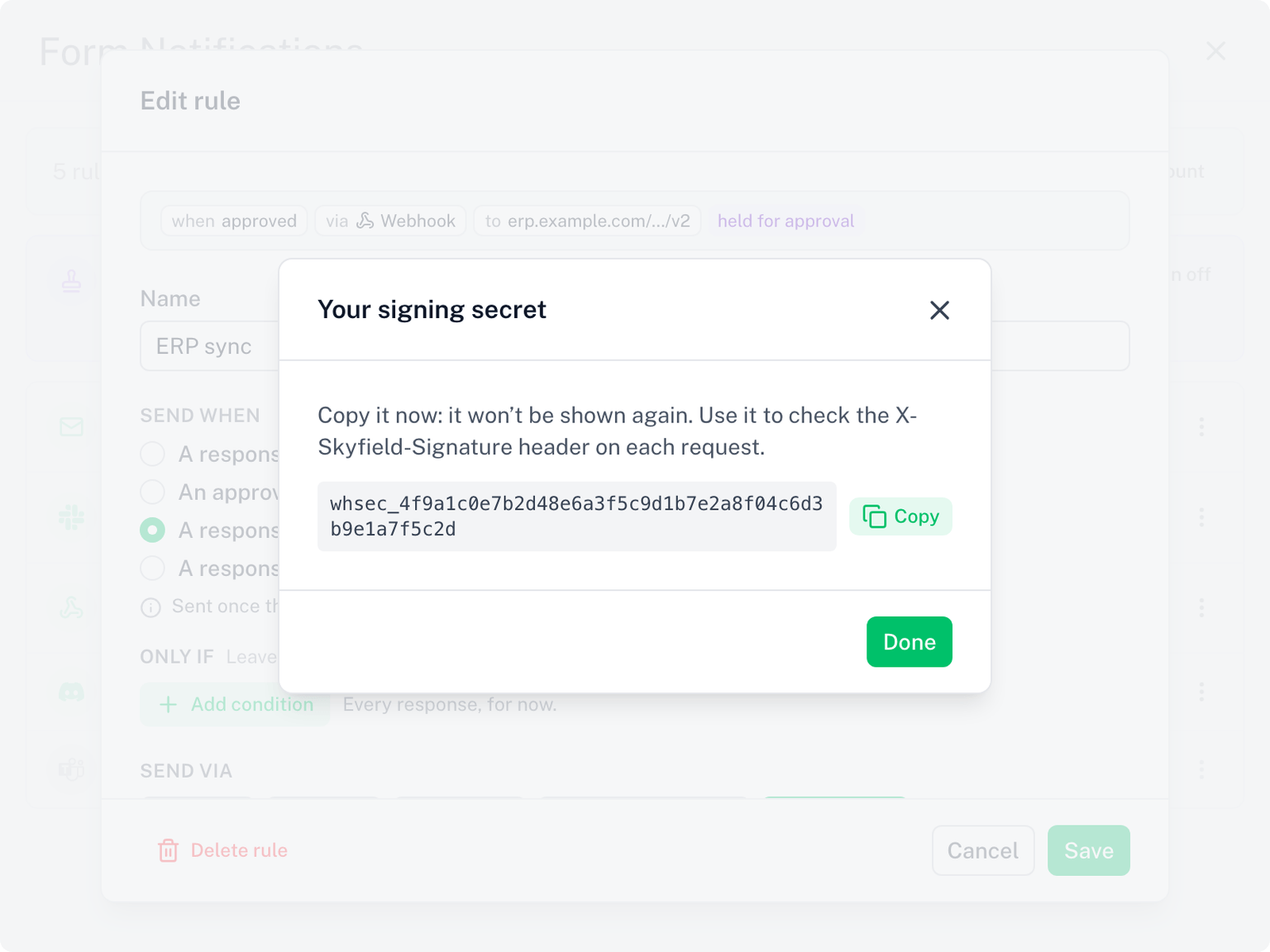
The secret (whsec_...) is shown once, right after the save that gives the rule its first webhook URL. Copy it then; it cannot be displayed again. Replacing the URL later keeps the same secret. If you lose it, open the rule, click New signing secret, and save: the new secret is shown once and the old one stops working immediately.
Compute the HMAC over the body bytes exactly as received. Parsing and re-serialising the JSON first will change whitespace and break the comparison.
Node.js
import { createHmac, timingSafeEqual } from 'node:crypto'

// rawBody: string or Buffer of the request body, before any JSON parsing
function verify(rawBody, header, secret) {
  const expected = 'sha256=' + createHmac('sha256', secret).update(rawBody).digest('hex')
  const a = Buffer.from(expected)
  const b = Buffer.from(header ?? '')
  return a.length === b.length && timingSafeEqual(a, b)
}

// Express example: use express.raw() so req.body is the untouched bytes
app.post('/hook', express.raw({ type: 'application/json' }), (req, res) => {
  if (!verify(req.body, req.get('X-Skyfield-Signature'), process.env.SKYFIELD_SECRET))
    return res.status(401).end()
  const payload = JSON.parse(req.body)
  res.status(200).end()
})
Python
import hmac, hashlib

def verify(raw_body: bytes, header: str, secret: str) -> bool:
    digest = hmac.new(secret.encode(), raw_body, hashlib.sha256).hexdigest()
    return hmac.compare_digest("sha256=" + digest, header or "")

# Flask example
@app.post("/hook")
def hook():
    if not verify(request.get_data(), request.headers.get("X-Skyfield-Signature"), SECRET):
        return "", 401
    payload = request.get_json()
    return "", 200
Respond with any 2xx status. The body is ignored.
Zapier, Make, n8n
All three accept a generic JSON webhook:
- Zapier: trigger Webhooks by Zapier, event Catch Hook (or Catch Raw Hook to verify the signature yourself). Paste the URL Zapier shows into the rule
- Make: add a Webhooks module, Custom webhook, copy its URL
- n8n: add a Webhook node, method POST, and use its production URL
Send a test from the rule, then map the response.answers fields in the platform. The sample payload uses placeholder answers so every field is present.
Delivery and limits
- The endpoint must be reachable on the public internet over HTTPS. Private and local addresses are rejected when you save
- Redirects are not followed: use the final URL
- The endpoint has 5 seconds to answer. A timeout or a 5xx response is retried once
- A 404 or 410 response means the endpoint is gone: the rule is paused and you get one email. Paste a new URL on the rule to resume
- The History page lists each delivery with the HTTP status your endpoint returned
- A paused or disabled webhook rule does not block other rules on the form
Good to know
- A webhook rule honours Send when, so an endpoint can receive an approval decision instead of every submission. See Send When
- To send only vetted responses, set the rule's Send when to Only after approval and pick an approver. See Approval. The payload then carries
approval.decision - Change channel… moves a webhook rule to Email or a chat channel; give the new destination there. Switching back to Webhook means pasting the URL again
- Webhook rules need an active license. The free trial counts. See what needs a license