
Times in Your Responses
Timer started, Time taken and Left the page, in the dashboard, the CSV and Google Sheets
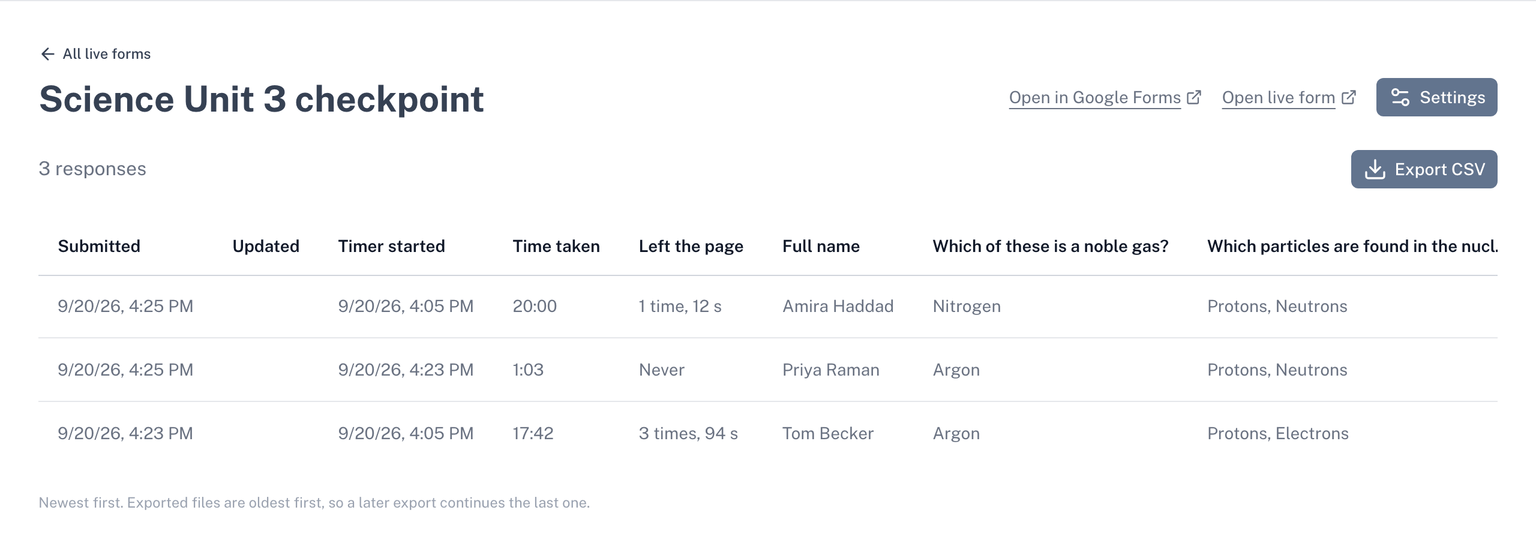
Click Responses in the sidebar, or open the form in your live forms. Beside each response on a timed form you will find:
- Timer started. When the respondent pressed Start.
- Time taken. From Start to the response. A response submitted automatically at zero shows about the full limit.
- Left the page. The focus record, if it is on.
Export and Google Sheets
Export CSV includes the same columns. So does the Google Sheet copy: connect one on the Connect to sheet tab of Live form settings and each new response is added to the sheet with its times.
Access to your responses stays open after a plan ends.