What Respondents See
The Start screen
Opening the live link never starts the clock. Respondents first see the form's title and description, how long they will have, what happens when time runs out, and your instructions if you wrote any.
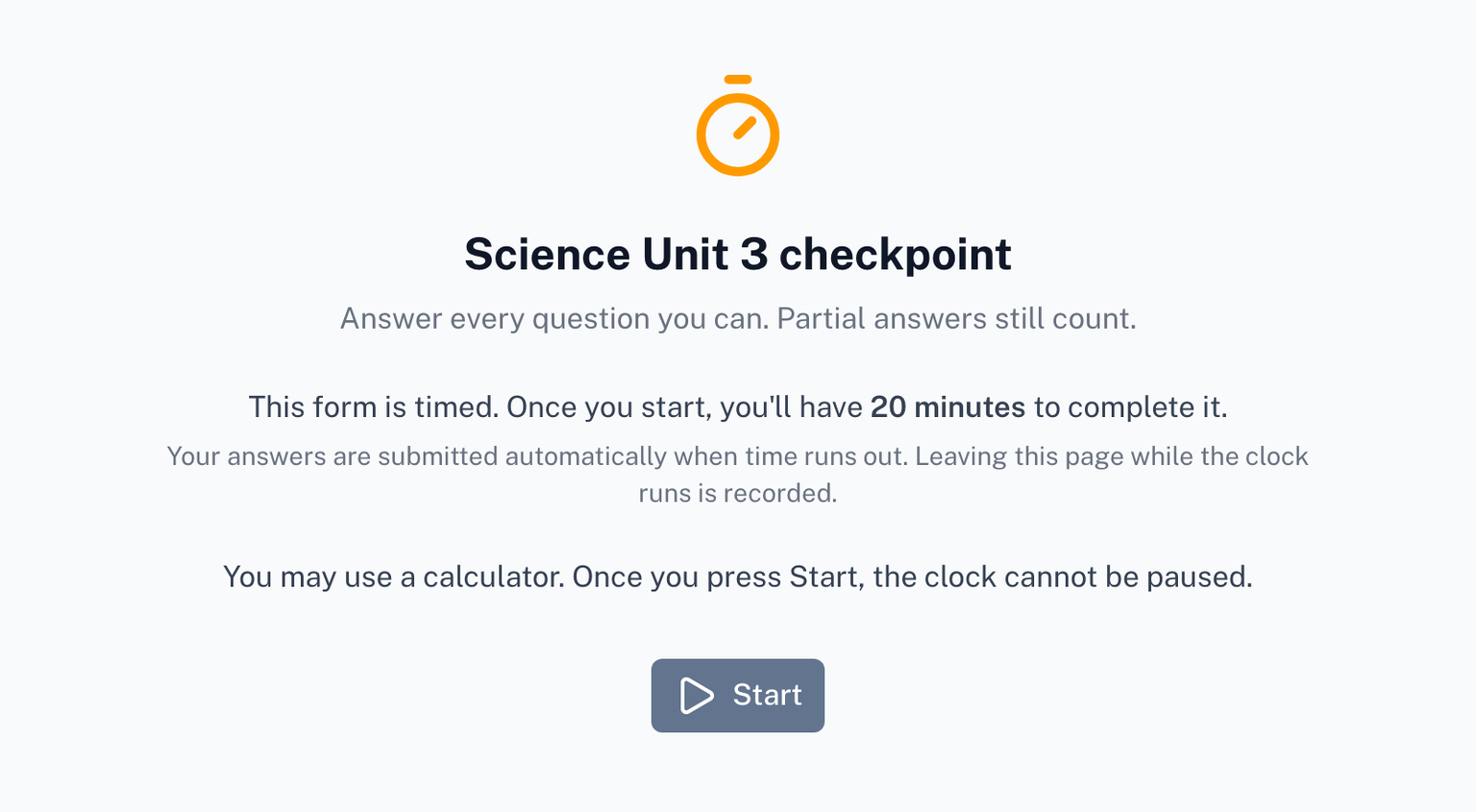
If the form asks respondents to sign in, they sign in on this screen, before Start. Signing in never spends time on a running clock.
The countdown
After Start, the questions appear and a bar fixed to the top of the page shows the time remaining. A line along the bar fills as the time passes, and the bar stays in view while the respondent scrolls.
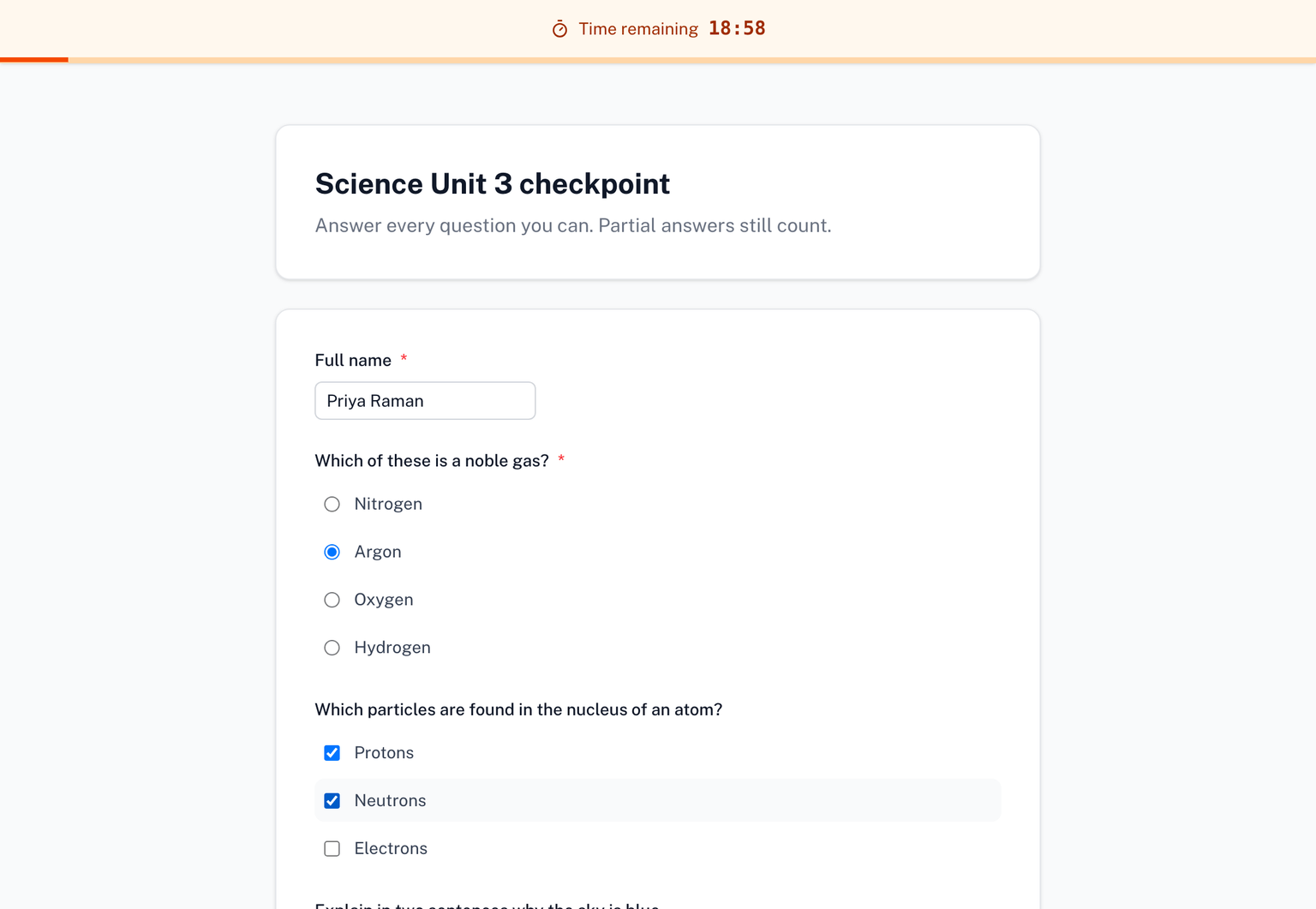
If you turned Show the countdown off, there is no bar. The Start screen says so in advance, and the limit still applies.
Refreshing or losing the connection
The deadline is kept on the server, so a refresh brings the same clock back with the time that is really left. It does not restart.
Answers that were typed but not submitted are not kept across a refresh. It is worth saying so in your instructions: "Do not refresh the page once you have started."
Language and device
The live form follows the respondent's language and works on a phone as well as a desktop.