Notifications
Get an email when the live form fills, when a question fills, or around a scheduled close
The Notifications tab of Live form settings sends emails about the live form. It does not need a licence to change.
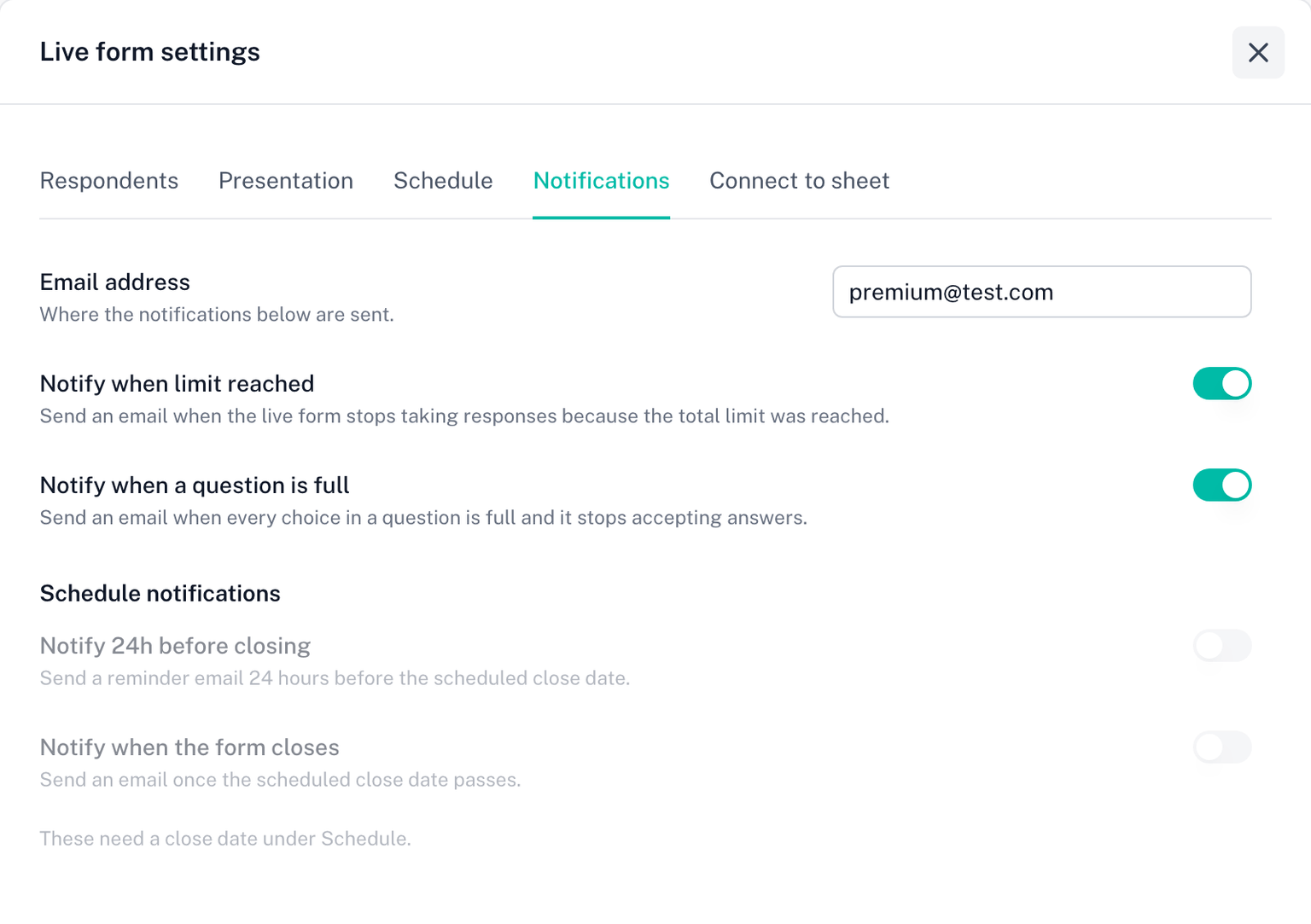
Email address
Where every notification below is sent. It starts as the form owner's address, and you can change it to any address, for example a shared inbox.
Events
Notify when limit reached. The live form stopped taking responses because the total response limit was reached.
Notify when a question is full. Every choice in a question is full and it stops accepting answers.
Schedule notifications, which need a close date under Schedule:
- Notify 24h before closing. A reminder 24 hours before the scheduled close date.
- Notify when the form closes. Sent once the scheduled close date passes.
Every switch is off until you turn it on, and each one works on its own.
What you receive
Each email names the form and what happened, and links to the responses on your dashboard.